
Add Watermark to PDF
Protect your PDF documents by adding text or image watermarks with custom opacity and positioning.
About Add Watermark to PDF
Secure your intellectual property by adding custom watermarks to your PDF files. Whether you need a 'CONFIDENTIAL' stamp across your pages or a subtle company logo, our tool allows you to protect your documents without ever uploading them to the cloud.
How to Use
- Upload the PDF document you wish to protect.
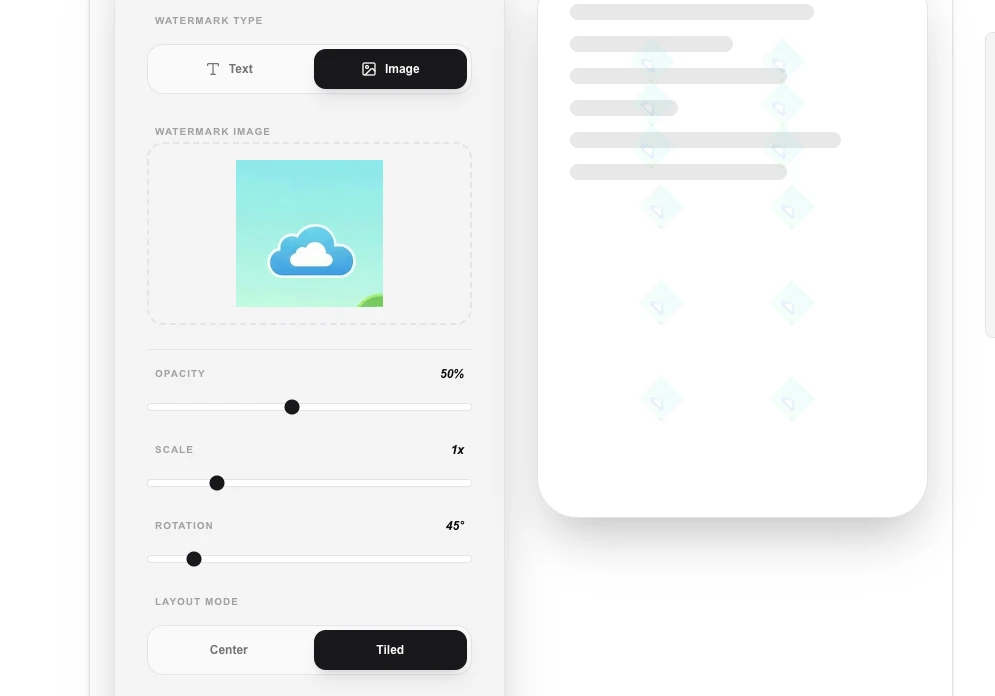
- Choose between a Text watermark (custom string) or an Image watermark (logo/stamp).
- Adjust the 'Opacity', 'Position', and 'Rotation' to suit your needs.
- Click 'Apply & Download PDF' to process the watermarking locally.
Common Use Cases
- Marking draft documents or sensitive reports as 'PROPRIETARY' or 'DRAFT'.
- Branding official company whitepapers and brochures with a subtle logo.
- Protecting creative work or portfolios from unauthorized reuse before final delivery.
Technical Details
Uses pdf-lib to overlay a new graphics layer on top of every page in the source PDF. This occurs entirely within your browser's environment, ensuring complete data privacy.
Frequently Asked Questions
- Does it work on every page?
- Yes, our tool automatically applies the watermark to every page of the uploaded PDF by default.
- Can I remove watermarks later?
- Watermarks are 'baked into' the PDF content. While advanced tools might be able to remove them, they are intended as a permanent protection layer.
- Can I apply the watermark to only selected pages?
- Yes. By default the watermark is applied to all pages, but you can specify a page range (e.g. 1-5) to limit it to a subset. This is useful for stamping only the first page or a specific section.
- Can I use my own logo or image as a watermark instead of text?
- Yes. Switch to image watermark mode and upload a PNG or JPG logo. You can set its opacity and position on the page. For best results use a PNG with a transparent background so only the logo is visible.
- Is the watermark permanent and tamper-proof?
- The watermark is embedded directly into the PDF page content using pdf-lib, making it part of the document rather than a separate layer. While it is not a cryptographic protection, it is visible when printed and cannot be removed without PDF editing software.
- Can I control the watermark opacity and rotation angle?
- Yes. The tool lets you set opacity from fully transparent (0%) to fully opaque (100%), so you can create a subtle background stamp or a bold overlay. You can also rotate the watermark to any angle — diagonal 45-degree watermarks are popular for draft documents. For text watermarks you control font size, color, and position. For image watermarks you can scale and position the graphic anywhere on the page. All changes are applied client-side with no upload required.
Local processing
Our local file, text and chart tools process content on your device using JavaScript, browser APIs and, where needed, WebAssembly. Our usage events do not include filenames, file contents, input text, chart values, raw errors, emails or license references. Network lookup tools (such as DNS, WHOIS, IP and speed tests) contact external services for their stated purpose. Loading the website, fonts, libraries and models also makes network requests. WebAssembly itself does not prevent network access.