
Delete PDF Pages
Remove unwanted pages from your PDF document easily.
About Delete PDF Pages
Quickly declutter your PDF files by removing specific pages. Our deletion tool allows you to strip out unnecessary sections, blank pages, or sensitive information from any PDF document without ever sending the data to a server.
How to Use
- Upload the PDF document you want to edit.
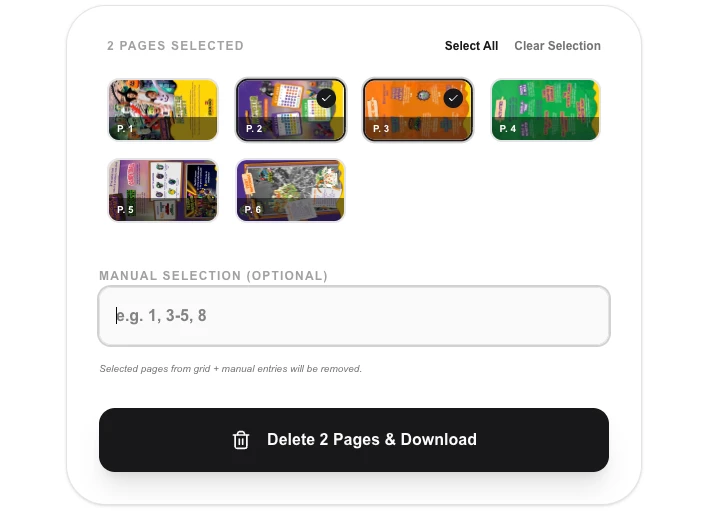
- Enter the page numbers you wish to remove (e.g., '1, 3-5').
- Click 'Delete Pages' to let our local engine prune the document.
- Download your new, streamlined PDF file.
Common Use Cases
- Removing blank pages or separator sheets from scanned PDF documents.
- Deleting sensitive or unnecessary internal pages before sharing a report with clients.
- Trimming a large PDF down to only the essential pages needed for a specific task.
Technical Details
Leverages pdf-lib to precisely extract and re-assemble the PDF container, omitting the specified page indices. 100% browser-based security.
Frequently Asked Questions
- How do I specify a range?
- You can use a hyphen for ranges (e.g., 5-8) and commas for individual pages (e.g., 1, 3, 10).
- Is the original file changed?
- No. We generate a new PDF for you to download, leaving your original file on your computer untouched.
- Can I delete multiple non-consecutive pages at once?
- Yes. Enter pages as a comma-separated list (e.g. 1, 4, 7) or combine with ranges (e.g. 2-5, 9). All listed pages are removed in a single operation.
- What happens if I accidentally delete the wrong pages?
- Simply reload the tool and re-upload your original PDF. The tool never modifies your source file — it always produces a new downloaded copy, leaving the original intact.
- Does this tool work with scanned PDFs?
- Yes. Page deletion works on any valid PDF regardless of whether it contains selectable text or scanned image pages. The tool removes the page objects directly without needing to interpret the content.
- Is there a maximum PDF size I can remove pages from?
- The PDF page deletion tool processes files entirely in your browser using PDF-lib. PDFs up to 200–300 MB are handled comfortably on most modern desktop browsers. Very large files (500 MB+) or PDFs with thousands of pages may be slow to load and process. There is no hard server-side size limit because no upload occurs. If the browser tab becomes unresponsive with a very large file, try using a desktop tool like PDF-lib CLI, pdftk, or Adobe Acrobat for those edge cases.
Local processing
Our local file, text and chart tools process content on your device using JavaScript, browser APIs and, where needed, WebAssembly. Our usage events do not include filenames, file contents, input text, chart values, raw errors, emails or license references. Network lookup tools (such as DNS, WHOIS, IP and speed tests) contact external services for their stated purpose. Loading the website, fonts, libraries and models also makes network requests. WebAssembly itself does not prevent network access.