
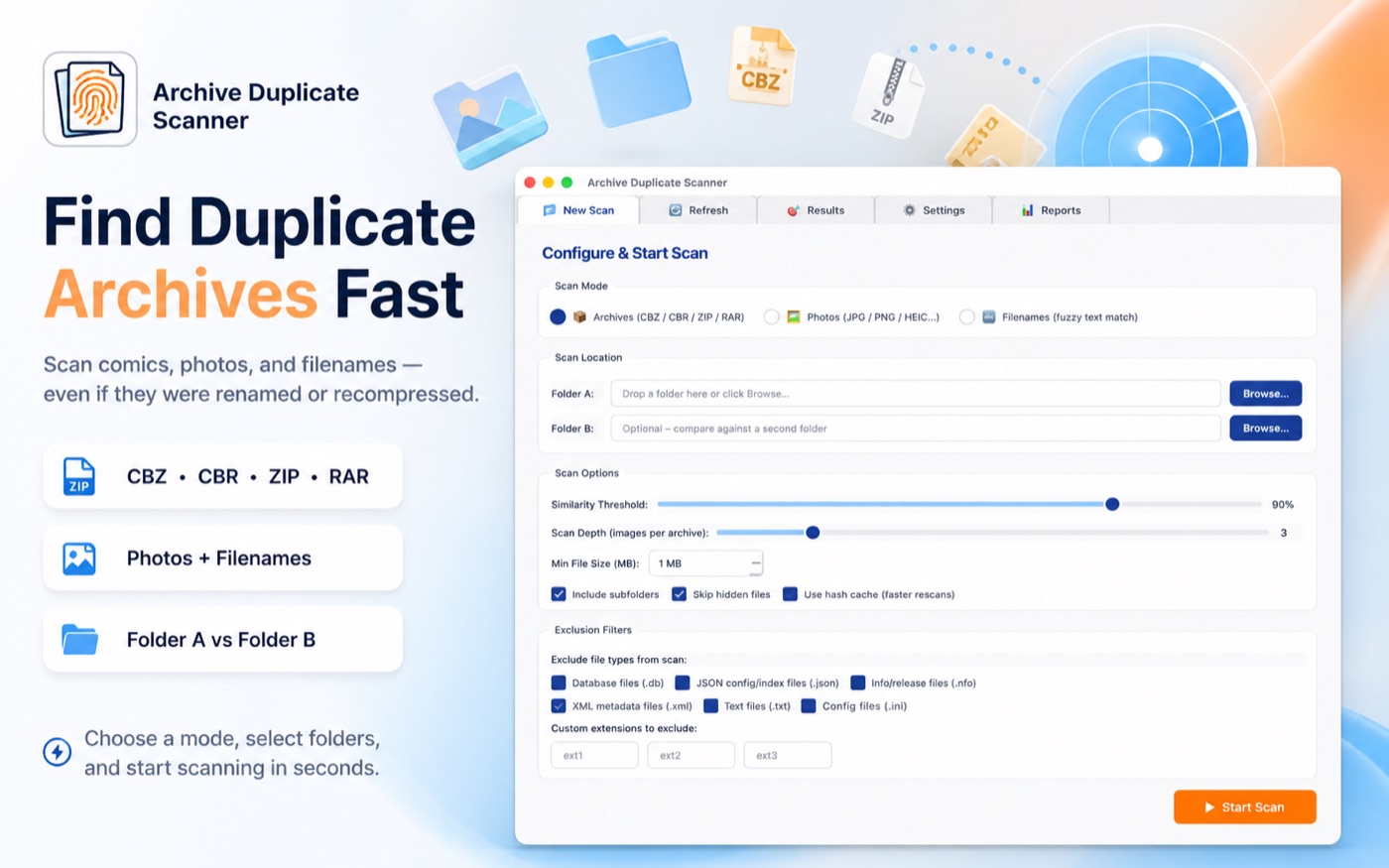
Archive Duplicate Scanner
Find duplicate comic archives, photos, and files locally using perceptual hashing and safe deletion.
About Archive Duplicate Scanner
Archive Duplicate Scanner is a privacy-first desktop app for Mac and Windows that finds duplicate comic book archives, photos, and files using perceptual hashing — the same technique professional image matching tools use. Unlike basic duplicate finders that only compare filenames or file sizes, it opens each CBZ, CBR, ZIP, or RAR archive and compares the actual images inside, catching renamed, recompressed, or re-exported duplicates that other tools miss. All scanning runs locally on your computer — no files are uploaded, no account required.
How to Use Archive Duplicate Scanner
- Download from the Mac App Store or Microsoft Store and install the app.
- Choose Archives, Photos, or Filenames scanning mode.
- Select one folder — or two folders for cross-library comparison.
- Review side-by-side duplicate pairs, use Auto-Select to bulk-mark by rule, then move selected files to the system Trash or Recycle Bin.
Common Use Cases
- Cleaning CBZ, CBR, ZIP, and RAR comic libraries after years of downloads.
- Finding duplicate photo exports across drives and external folders.
- Comparing an organized library against a Downloads folder.
- Generating CSV or HTML reports with thumbnails before deleting anything.
Technical Details
Archive Duplicate Scanner uses perceptual hashing (dHash algorithm) to compare image content, RapidFuzz fuzzy text matching for filenames, and a local SQLite hash cache for fast rescans. Files move to the system Trash only — nothing is permanently deleted without confirmation. Free forever for scans up to 1,000 files; one-time USD 19.99 unlock removes the limit.
Frequently Asked Questions
- What is Archive Duplicate Scanner?
- Archive Duplicate Scanner is a desktop app for Mac and Windows that finds duplicate comic archives (CBZ, CBR, ZIP, RAR), photos, and files using perceptual hashing. It compares image content — not just filenames — so it catches renamed or recompressed duplicates that standard tools miss.
- How does perceptual hashing find duplicate archives?
- Perceptual hashing converts images into compact fingerprints based on visual structure. Two archives with different names, sizes, or compression settings are still matched if their page images look the same — so renamed or re-exported duplicates are caught reliably.
- Does Archive Duplicate Scanner upload my files?
- No. All scanning runs locally on your Mac or Windows PC. No files are uploaded to any server, and no account is required. Archive Duplicate Scanner has no network component beyond opening App Store pages.
- Can I accidentally delete important files?
- No. Archive Duplicate Scanner moves files to the macOS Trash or Windows Recycle Bin — not permanent deletion. A last-copy safety check also warns you before any batch deletion if a file marked 'keep' is also scheduled for deletion in another pair.
- How much does Archive Duplicate Scanner cost?
- The app is free to download with unlimited access for scans up to 1,000 files. A 7-day trial unlocks full use, and a one-time purchase of USD 19.99 removes the file limit permanently — no subscription.
- What archive formats does Archive Duplicate Scanner support?
- Archive Duplicate Scanner supports ZIP, CBZ, CBR, RAR, 7z, TAR, GZ, BZ2, and XZ archives. It can also scan loose image folders alongside archives in the same session. The scanner compares comic book archives by their internal images using perceptual hashing, so it finds duplicates even if the file names, compression levels, or image quality differ slightly between versions. Scans run entirely on your Mac — no files are uploaded to any server.
Local processing
Our local file, text and chart tools process content on your device using JavaScript, browser APIs and, where needed, WebAssembly. Our usage events do not include filenames, file contents, input text, chart values, raw errors, emails or license references. Network lookup tools (such as DNS, WHOIS, IP and speed tests) contact external services for their stated purpose. Loading the website, fonts, libraries and models also makes network requests. WebAssembly itself does not prevent network access.
How to Find and Remove Duplicate Images From Your Archive
The LokalTools Archive Duplicate Scanner finds duplicate photos, comic archives, and files on your Mac or PC using perceptual hashing — a technique that catches duplicates even when filenames or resolutions differ. It runs entirely on your device as a native application, never uploads your files to any server, and moves matched duplicates to the trash rather than permanently deleting them. Your files never leave your device.
The Problem With Large Duplicate Archives
Photo libraries and comic archive collections accumulate duplicates over time: the same CBZ file downloaded twice from different sources, the same photo exported at two resolutions, or an entire folder backed up in multiple locations. Storage fills up, syncing slows down, and finding the original becomes a guessing game.
Simple filename-matching tools miss the real duplicates. Two copies of the same photo taken one second apart have different filenames. A re-exported JPEG at a different DPI registers as a new file to any tool that compares only metadata or names.
How Perceptual Hashing Detects Real Duplicates
The Archive Duplicate Scanner uses perceptual hashing (pHash) instead of byte-level file comparison. Here is how it works:
- The scanner reads each image or archive on your device.
- It generates a perceptual hash — a fingerprint representing the visual content, not the exact bytes.
- Hashes within a configurable similarity threshold are flagged as duplicates.
- You review the matches and choose which copy to keep; the scanner moves the rest to your system trash.
Because hashing runs locally as a native Mac and Windows application, no file data is sent anywhere. Your photos and archives stay completely private.
Step-by-Step: Cleaning Up Your Duplicate Archive
- Get the app — visit LokalTools Archive Duplicate Scanner and install it from the Mac App Store or Microsoft Store.
- Select a folder — point the scanner at your photo library, comic folder, or any directory.
- Run the scan — the app hashes all files and groups visual duplicates together.
- Review matches — preview each group side by side, then mark the duplicates you want to remove.
- Move to trash — the app sends selected files to your system trash. Nothing is permanently deleted without your final confirmation.
- Empty trash when satisfied — only clear the trash once you are confident you kept the right files.
Use Cases
- Photographer workflow — find near-identical RAW exports, burst-mode duplicates, and differently-named resizes of the same original.
- Comic and manga collection — detect CBZ and CBR files downloaded twice from different sources, even when they have different metadata.
- General file cleanup — scan a Downloads folder or external drive to reclaim space before long-term archiving.
Frequently Asked Questions
How do I find duplicate images on my computer without uploading them?
Use the LokalTools Archive Duplicate Scanner — a native desktop app that scans files locally using perceptual hashing. Nothing is uploaded; all processing happens on your Mac or PC.
What is perceptual hashing and why is it better than filename comparison?
Perceptual hashing creates a fingerprint based on visual image content, not filename or byte structure. Two photos of the same scene at different resolutions will have nearly identical perceptual hashes, so the scanner flags them as duplicates even though a name-based tool would not.
What file types does the duplicate scanner support?
The scanner handles photos (JPEG, PNG, WebP), comic archives (CBZ, CBR), and general files. Check the app store listing for the complete supported format list.
Does the duplicate scanner permanently delete files?
No. Matched files are moved to your system trash, which you can inspect and restore from before emptying. The scanner never bypasses the trash or permanently deletes anything in one step.
Is the Archive Duplicate Scanner free?
The app is available on the Mac App Store and Microsoft Store. Check the store listing for current pricing and any available free tier or trial.
Can it scan external drives and network-attached storage?
Yes. Because it is a native desktop application, it can scan any mounted volume your operating system can access — including external drives and NAS shares.
Reclaim Space Without Risking Your Files
Duplicate files are a slow leak. They fill storage, slow backups, and create confusion about which version is the master copy. The LokalTools Archive Duplicate Scanner uses perceptual hashing to catch what filename-based tools miss, keeps all processing on your own device, and always gives you a trash-based safety net before anything is permanently gone.