
Voice Recorder
Powerful offline-first voice recording with built-in editing tools.
About Voice Recorder
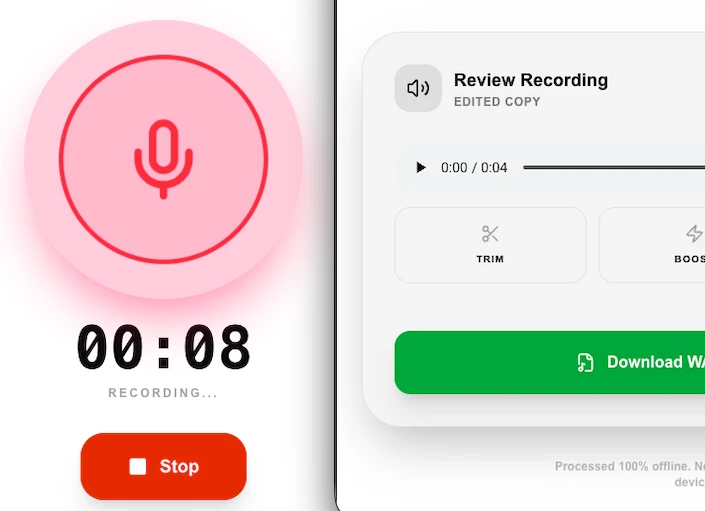
Record high-quality audio directly in your browser with our offline-first voice recorder. Perfect for voice memos, interviews, or content creation, it features built-in tools to trim, boost volume, and remove silence automatically.
How to Use
- Click 'Record' and grant microphone access to your browser.
- Speak clearly – you'll see a live visualization of your audio levels.
- Click 'Stop' when finished to review your recording instantly.
- Use the 'Boost' or 'Remove Silence' tools to polish your audio before downloading as a WAV file.
Common Use Cases
- Recording quick voice reminders or meetings without needing external apps.
- Creating high-quality vocal tracks for podcasts or videos.
- Practicing speeches or language learning by listening back to your performances.
Technical Details
Uses the Web Audio API for high-fidelity recording and local processing. Features like silence removal are performed using real-time audio analysis scripts.
Frequently Asked Questions
- Where are my recordings saved?
- Recordings are temporarily held in your browser's memory and are not saved to any server. Use 'Download WAV' to keep them permanently.
- Can I recover a recording?
- If you accidentally refresh the page, the tool will attempt to recover the last unsaved recording from your browser's local cache.
- Can I record in MP3 format?
- Yes. You can choose WAV for lossless quality or MP3 for a smaller file size before you start recording. The conversion happens entirely in your browser.
- Does this work on mobile?
- Yes, Voice Recorder works on most modern mobile browsers (Chrome for Android, Safari on iOS) as long as you grant microphone permission when prompted.
- Is there a maximum recording length?
- There is no hard time limit set by the tool. In practice, very long recordings are limited by your device's available RAM since audio is buffered in memory before download.
- What audio quality and format does the Voice Recorder produce?
- The Voice Recorder uses the browser's MediaRecorder API, which typically encodes audio as WebM (Opus codec) at 128 kbps on Chrome and most Chromium-based browsers, or as MP4 (AAC) on Safari. Opus at 128 kbps provides excellent voice quality — clear enough for meetings, memos, podcasts, and language learning recordings. The file is saved directly to your device when you stop recording. No audio is uploaded to any server. If you need a specific format like MP3 or WAV, convert the downloaded file using the Audio Extractor tool.
Local processing
Our local file, text and chart tools process content on your device using JavaScript, browser APIs and, where needed, WebAssembly. Our usage events do not include filenames, file contents, input text, chart values, raw errors, emails or license references. Network lookup tools (such as DNS, WHOIS, IP and speed tests) contact external services for their stated purpose. Loading the website, fonts, libraries and models also makes network requests. WebAssembly itself does not prevent network access.