
Emoji Picker
Browse, search, and copy emojis easily for your social media and messages.
About Emoji Picker
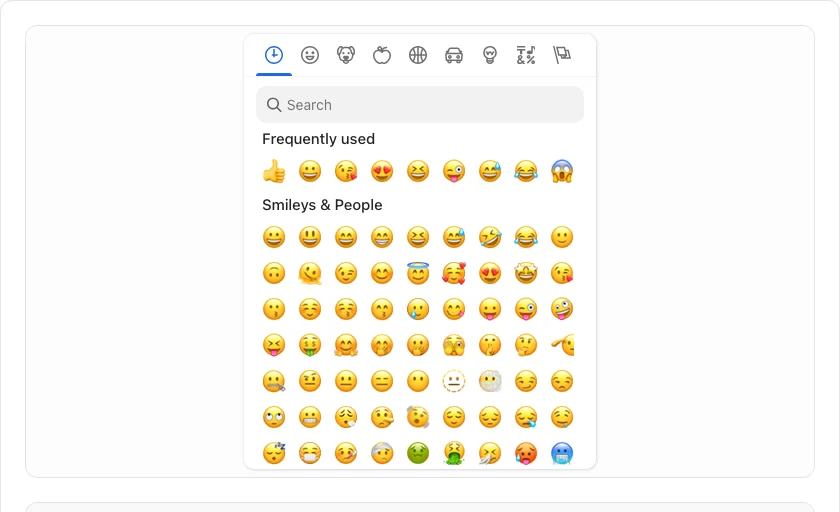
Find and copy the perfect emoji for any occasion. Our full-featured picker organizes emojis into logical categories, allowing you to browse or search for the right expression to enhance your messages, social media posts, and designs.
How to Use
- Use the 'Search emojis...' bar to find specific icons by name.
- Browse through categories like 'Smileys', 'Food', or 'Flags' to discover new emojis.
- Click an emoji to instantly copy it to your clipboard.
- Use the 'Frequently Used' section for quick access to your favorite expressions.
Common Use Cases
- Adding personality and emotion to social media captions and direct messages.
- Choosing consistent icons for website navigation, buttons, and UI elements.
- Enhancing blog posts and articles with visual cues and stylistic accents.
Technical Details
Uses the industry-standard Emoji Mart component, ensuring compatibility with the latest Unicode specifications and native rendering across platforms.
Frequently Asked Questions
- Are these latest emojis?
- We keep our picker updated to support the latest Unicode emoji releases supported by modern browsers.
- Why do some emojis look different?
- Emojis are rendered using your device's native font. They may look slightly different on iOS, Android, and Windows, but the meaning remains the same.
- How do I search for a specific emoji?
- Type a keyword in the search box — for example, 'fire', 'heart', or 'thumbs' — and matching emojis appear instantly. You can also browse by category using the tabs along the top.
- Why do some emojis look different on different devices?
- Each operating system (Apple, Google, Microsoft, Samsung) renders emoji using its own font and art style. The Unicode standard defines the meaning and name of each emoji, but visual appearance varies by platform. The emoji you copy will display in the recipient's system style.
- Can I use emojis in HTML and URLs?
- Emojis can be used directly in HTML because modern pages are UTF-8 encoded. In URLs, emojis must be percent-encoded (e.g., 😀 becomes %F0%9F%98%80). In most cases, just type or paste the emoji — browsers and servers handle the encoding automatically.
- Can I copy multiple emojis at once?
- Yes. Click each emoji you want to add and it appears in the selection tray at the bottom of the picker. You can accumulate as many emojis as you like, then click "Copy All" to copy the entire sequence to your clipboard in one action. This is useful for building emoji combos for social media captions, Slack status messages, or design mockups. The picker runs entirely in your browser with no server connection needed after the initial page load.
Local processing
Our local file, text and chart tools process content on your device using JavaScript, browser APIs and, where needed, WebAssembly. Our usage events do not include filenames, file contents, input text, chart values, raw errors, emails or license references. Network lookup tools (such as DNS, WHOIS, IP and speed tests) contact external services for their stated purpose. Loading the website, fonts, libraries and models also makes network requests. WebAssembly itself does not prevent network access.