
Text to Speech
Convert written text into natural-sounding speech directly in your browser.
About Text to Speech
Convert any text into high-quality audible speech instantly. Our tool uses your browser's native speech synthesis engines to provide clear, natural-sounding audio for accessibility, proofreading, or content creation.
How to Use
- Paste or type the text you want to hear into the input box.
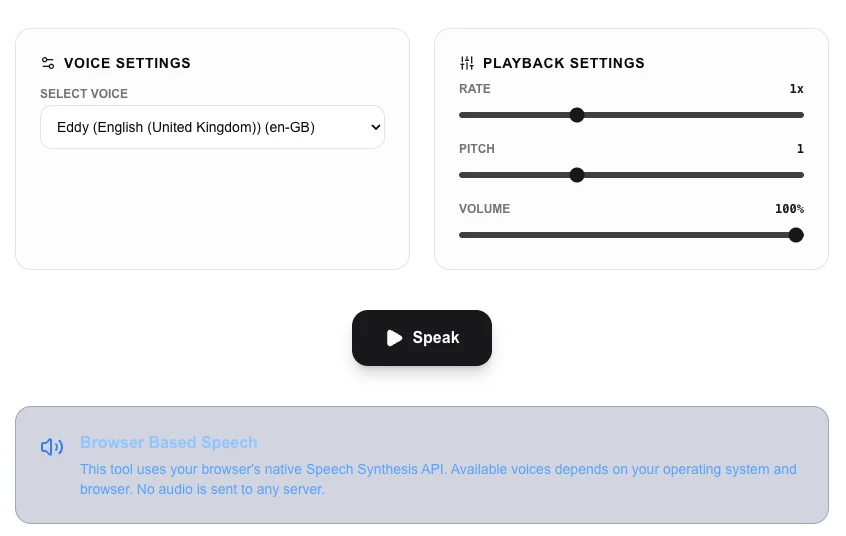
- Select your preferred 'Voice' and adjust the 'Rate' and 'Pitch' settings.
- Click 'Play' to listen to the generated speech in real-time.
- Use the 'Download Speech' button to save the audio for offline use.
Common Use Cases
- Assisting users with visual impairments or reading difficulties through text-to-audio conversion.
- Proofreading your own writing by hearing it read aloud to spot flow issues and typos.
- Generating simple voiceovers for presentations, educational videos, or prototype demos.
Technical Details
Utilizes the Web Speech API (SpeechSynthesis) to interface with native OS voices. All audio processing is handled locally within your browser.
Frequently Asked Questions
- Why are some voices unavailable?
- The available voices depend on your operating system (Windows, macOS, Android, etc.) and your browser's installed language packs.
- Does it require internet?
- Most modern browsers include pre-installed voices that work entirely offline, although some advanced voices may require a connection.
- Which voices are available in the text-to-speech tool?
- Available voices depend on your operating system and browser. Modern systems include multiple languages and accents — for example, macOS provides high-quality Siri voices, and Windows provides Microsoft voices. The tool lists all voices your browser exposes.
- Can I save the audio as an MP3 or WAV file?
- Browser-native TTS (Web Speech API) does not support direct audio export in most browsers. To save speech audio, consider using a dedicated TTS API such as Google Cloud TTS or Amazon Polly, which return downloadable audio files.
- How does browser text-to-speech work?
- This tool uses the Web Speech API built into modern browsers. Speech synthesis happens entirely on your device using the OS voices — no text is sent to a server. The quality and naturalness of the voice depends on your operating system's TTS engine.
- Can I adjust the speech rate and pitch for the text-to-speech output?
- Yes. The Text to Speech tool exposes rate (speed) and pitch controls that map to the Web Speech API's SpeechSynthesisUtterance parameters. Rate ranges from 0.5 (half speed) to 2.0 (double speed), and pitch from 0.0 to 2.0. These are useful for creating slow, clearly enunciated narration for language learning content, or faster playback for long-form text. Note that how these parameters sound varies by browser and operating system because the underlying voice engine differs between Chrome, Safari, and Firefox.
Local processing
Our local file, text and chart tools process content on your device using JavaScript, browser APIs and, where needed, WebAssembly. Our usage events do not include filenames, file contents, input text, chart values, raw errors, emails or license references. Network lookup tools (such as DNS, WHOIS, IP and speed tests) contact external services for their stated purpose. Loading the website, fonts, libraries and models also makes network requests. WebAssembly itself does not prevent network access.