
Text Repeater
Repeat text as many times as you need with custom separators.
About Text Repeater
Generate multiple repetitions of any string instantly. Whether you need thousands of lines of text for testing or just want to create a repetitive pattern for a message, this tool makes it easy with custom separators and counts.
How to Use
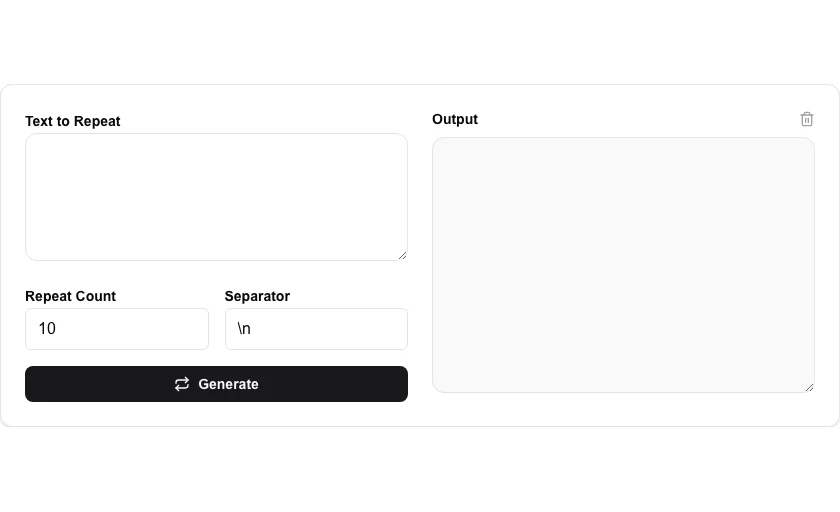
- Enter the word or phrase you want to repeat.
- Set the 'Repeat Count' for how many times it should appear.
- Add an optional separator like a comma, space, or new line (\n).
- Click 'Generate' and copy the repeated results from the output box.
Common Use Cases
- Generating large amounts of text for stress-testing data fields.
- Creating repetitive patterns for design or coding placeholders.
- Mass-generating repetitive content for social media or messaging.
Technical Details
Implements efficient string concatenation memory management to generate up to 10,000+ repetitions instantly in your browser.
Frequently Asked Questions
- How do I add a new line after each repeat?
- Simply type '\n' in the separator field to place each repetition on a new line.
- Is there a maximum repeat limit?
- While we don't have a hard limit, repeating very long strings thousands of times might slow down your browser.
- What can I use a text repeater for?
- Common uses include generating dummy data for testing (repeated rows, strings, or characters), filling spreadsheet cells with a repeating pattern, creating separator lines, and stress-testing inputs with large volumes of repeated text.
- Can I use a newline as a separator?
- Yes. Enter a newline (or select the newline option) as the separator to output each repetition on its own line. This is the most common format for generating test data or lists.
- Is there a limit on how many times I can repeat text?
- There is no hard cap — the limit is your browser's memory. Repeating short strings thousands of times is instant. Very large repetitions (millions of characters) may slow down your tab; copy the result before it affects performance.
- Can I use the Text Repeater to generate test data for a database or form?
- Yes. Set your template string — for example "user@example.com" or a SQL INSERT row — and repeat it the required number of times with a newline separator. The output can be copied directly into a spreadsheet, SQL editor, or form autofill script. For generating varied test data (unique email addresses, sequential IDs), combine the Text Repeater output with a find-and-replace or numbering tool to add sequential numbers or indices to each line. All processing happens in your browser with no data sent to a server.
Local processing
Our local file, text and chart tools process content on your device using JavaScript, browser APIs and, where needed, WebAssembly. Our usage events do not include filenames, file contents, input text, chart values, raw errors, emails or license references. Network lookup tools (such as DNS, WHOIS, IP and speed tests) contact external services for their stated purpose. Loading the website, fonts, libraries and models also makes network requests. WebAssembly itself does not prevent network access.