
Percentage Calculator
Solve any percentage-related calculation instantly.
About Percentage Calculator
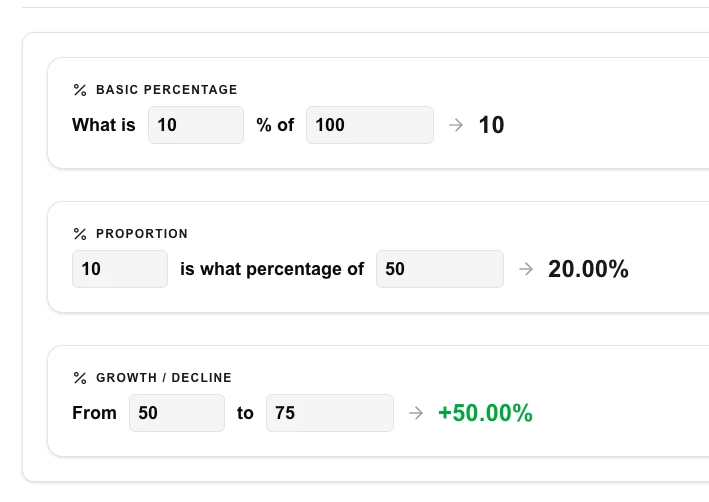
Solve complex percentage math without a headache. This comprehensive calculator handles three major modes: basic percentages, finding proportions, and calculating percentage increases or decreases (growth/decline).
How to Use
- Choose your mode: Basic, Proportion, or Growth.
- Enter the numeric values into the corresponding fields.
- The result will be calculated automatically as you type.
- Use the 'Growth' mode to find the percentage change between two numbers.
Common Use Cases
- Calculating discounts and sales tax during shopping.
- Analyzing business growth, profit margins, or stock market changes.
- Working out grades or statistics for school projects.
Technical Details
Implements decimal-precision math to avoid common floating-point errors found in basic calculators.
Frequently Asked Questions
- How do I calculate a 20% tip?
- Use 'Basic Percentage' mode: enter 20 as the percentage and your bill total as the 'of' value.
- What is percentage change?
- It is the difference between two values expressed as a percentage of the original value, showing how much something increased or decreased.
- What types of percentage problems can this solve?
- The tool handles three common scenarios: finding X% of a number, determining what percentage one number is of another, and calculating percentage increase or decrease between two values.
- How is percentage change calculated?
- Percentage change is ((new value − old value) / old value) × 100. A positive result means an increase; a negative result means a decrease.
- Can I use decimals in the inputs?
- Yes. All input fields accept decimal numbers so you can calculate precise percentages like 12.5% of 348.75 without rounding.
- Can I calculate what percentage one number is of another?
- Yes. Use the "X is what % of Y?" mode: enter the part value (X) and the whole value (Y) and the calculator returns the percentage. For example, if 45 out of 200 students passed, enter 45 and 200 to get 22.5%. This mode is useful for test scores, survey results, budget allocations, and any situation where you need to express a part-to-whole relationship as a percentage. All three percentage calculation modes are available from the same tool on a single page.
Local processing
Our local file, text and chart tools process content on your device using JavaScript, browser APIs and, where needed, WebAssembly. Our usage events do not include filenames, file contents, input text, chart values, raw errors, emails or license references. Network lookup tools (such as DNS, WHOIS, IP and speed tests) contact external services for their stated purpose. Loading the website, fonts, libraries and models also makes network requests. WebAssembly itself does not prevent network access.