
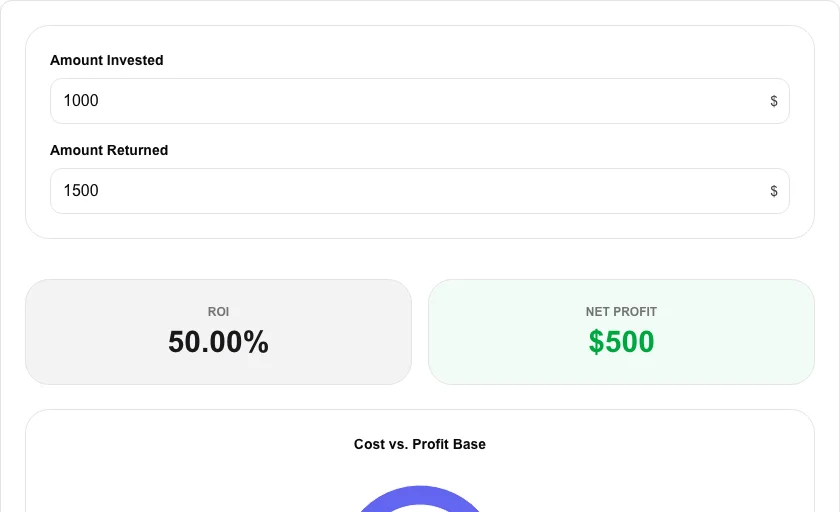
ROI Calculator
Determine the profitability of an investment with a simple ROI percentage.
About ROI Calculator
Measure the efficiency of an investment or compare the profitability of multiple assets. The Return on Investment (ROI) calculator provides a quick percentage-based summary of your gains or losses relative to the initial cost.
How to Use
- Enter the 'Amount Invested' (the initial cost).
- Enter the 'Amount Returned' or the current total value.
- Instantly view the ROI percentage and the net profit or loss.
- Use the result to compare this investment against others in your portfolio.
Common Use Cases
- Evaluating the success of a business project or marketing campaign.
- Comparing stock market returns against real estate or other assets.
- Calculating potential gains before committing capital to a new venture.
Technical Details
Calculates using the formula: ROI = ((Final Value - Initial Cost) / Initial Cost) * 100. All processing is on-device.
Formula
Frequently Asked Questions
- What is a good ROI?
- A 'good' ROI depends on the risk level and the time period, but generally, any positive ROI that exceeds the inflation rate is considered a gain.
- Does ROI account for time?
- Simple ROI does not account for time. For time-adjusted returns, you may want to use our CAGR calculator.
- How is ROI calculated?
- ROI = ((Net Profit) / Cost of Investment) × 100. Net profit is the final value minus the initial investment. For example, if you invested $5,000 and received $6,500 back, your ROI is ((6,500 − 5,000) / 5,000) × 100 = 30%.
- What is a typical good ROI?
- It depends heavily on the asset class and time horizon. For stocks, the historical S&P 500 average is around 10% annually. Real estate often targets 8–12% per year. For business investments, anything above your cost of capital is generally acceptable, while 20%+ is considered strong. Always compare against alternatives with similar risk profiles.
- What is annualized ROI and when should I use it?
- Simple ROI doesn't account for how long an investment was held — a 50% gain over 10 years is very different from 50% in 1 year. Annualized ROI (also called CAGR) normalizes this: Annualized ROI = (1 + ROI)^(1/years) − 1. Use it whenever you're comparing investments held for different lengths of time.
- Can I use the ROI calculator for marketing campaign analysis?
- Yes. Enter the campaign cost as the initial investment and the revenue attributable to the campaign as the final value. The calculator returns the ROI percentage and the net gain. For marketing, many practitioners also calculate ROAS (Return on Ad Spend) which is revenue divided by ad spend without subtracting the cost — this is a different metric. This tool calculates standard ROI. For multi-channel attribution where one campaign contributes to many sales, manually sum the attributed revenue before entering it.
Local processing
Our local file, text and chart tools process content on your device using JavaScript, browser APIs and, where needed, WebAssembly. Our usage events do not include filenames, file contents, input text, chart values, raw errors, emails or license references. Network lookup tools (such as DNS, WHOIS, IP and speed tests) contact external services for their stated purpose. Loading the website, fonts, libraries and models also makes network requests. WebAssembly itself does not prevent network access.