
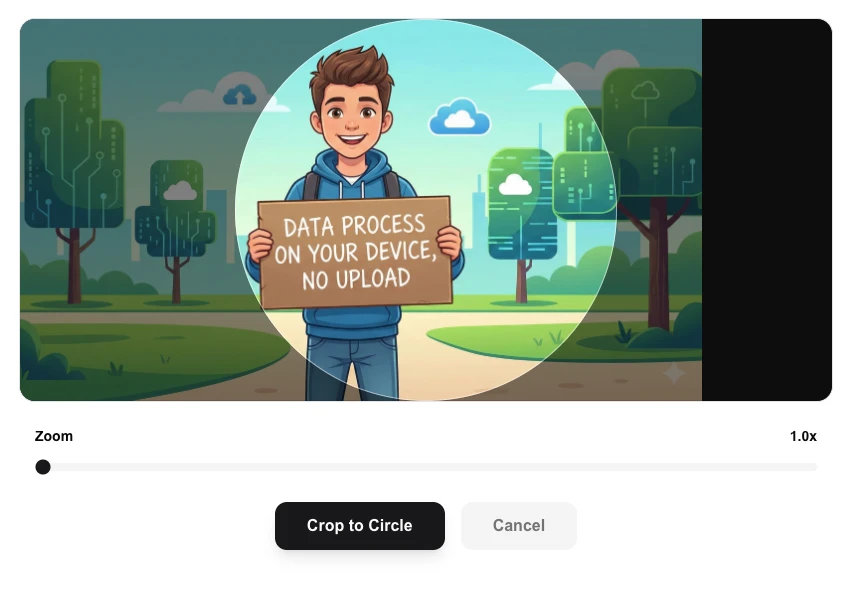
Circle Image Cropper
Crop your images into perfect circles for avatars/ profile image.
About Circle Image Cropper
Transform your standard photos into perfect circles instantly. Ideal for creating professional avatars, circular profile pictures, and stylish social media assets without needing complex design software.
How to Use
- Upload the image you want to shape into a circle.
- Use the interactive cropper to center the circular frame over the desired area.
- Adjust the zoom and position until you have the perfect circular composition.
- Click 'Crop to Circle' and download your transparent PNG result.
Common Use Cases
- Creating consistent circular avatars for team pages and about sections.
- Designing rounded profile pictures for LinkedIn, Slack, and other platforms.
- Extracting circular focus points from photos for use in web design and UI components.
Technical Details
Uses high-performance canvas masking to extract a circular region from your source image. The output is saved with a transparent background in PNG format.
Frequently Asked Questions
- Is the background transparent?
- Yes, our circle cropper exports the image as a transparent PNG, so only the circle itself is visible.
- Does it work on any image type?
- Yes, you can upload JPG, PNG, or WEBP files. The result will always be a high-quality circular PNG.
- Does my image get uploaded to a server?
- No. Circle Cropper runs entirely in your browser using the Canvas API. Your image never leaves your device — no upload, no server, complete privacy.
- Can I crop into an ellipse instead of a perfect circle?
- Yes. You can adjust the crop frame to create both perfect circles and custom ellipse shapes depending on how you resize the selection area.
- What file format is the output and will it have a white background?
- The output is always a PNG file with a fully transparent background — just the circular image content, no white fill. This makes it ready for use on any background.
- Can I adjust the crop circle position before downloading?
- Yes. After uploading your image a draggable crop circle appears. You can click and drag the circle anywhere over the image to position it exactly where you want. Drag the handles to resize the circle. The preview updates in real time so you can see the result before downloading. The output is a PNG with a transparent background by default, making it ready to use as a profile picture, avatar, logo overlay, or any design element that requires a circular image.
Local processing
Our local file, text and chart tools process content on your device using JavaScript, browser APIs and, where needed, WebAssembly. Our usage events do not include filenames, file contents, input text, chart values, raw errors, emails or license references. Network lookup tools (such as DNS, WHOIS, IP and speed tests) contact external services for their stated purpose. Loading the website, fonts, libraries and models also makes network requests. WebAssembly itself does not prevent network access.