
Meme Generator
Create memes by adding custom text to images instantly.
About Meme Generator
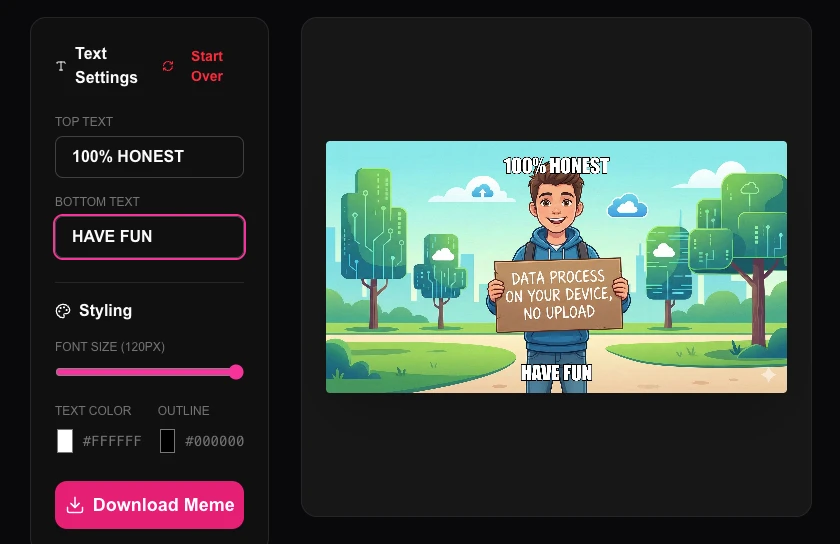
Create the next viral sensation with our simple, fast meme generator. Easily add classic 'Impact' style text to any image to express your ideas, humor, or reactions in seconds.
How to Use
- Upload any image you want to use as your meme template.
- Type your witty punchlines into the 'Top Text' and 'Bottom Text' fields.
- The text will appear and resize automatically on top of the image.
- Download your completed meme and share it instantly with the world.
Common Use Cases
- Creating quick reaction memes for social media and group chats.
- Making humorous educational infographics or office announcement banners.
- Participating in internet trends by customizing famous viral image templates.
Technical Details
Uses high-contrast text rendering on an HTML5 canvas element. The text is baked into the image pixels entirely in-memory.
Frequently Asked Questions
- Are there templates?
- You can upload any image to serve as a template, giving you total creative freedom beyond just standard memes.
- Does it add a watermark?
- No. Our meme generator is 100% free and does not add any watermarks to your creations.
- Are my meme images uploaded to a server?
- No. The meme is generated entirely in your browser using the Canvas API. Your image and text are composited locally — nothing is ever sent to any server or stored anywhere.
- What font does the meme generator use?
- The generator uses Impact (or a similar bold condensed font), which is the classic meme caption font. Text is rendered in white with a black outline for maximum readability on any background image.
- Can I use my own images or only provided templates?
- You can upload any image from your device to use as the meme base. There are no restrictions — use your own photos, screenshots, or any image you have saved locally.
- What resolution are the meme images downloaded at?
- Memes are exported at the original resolution of the image you upload or select from the template library. The text overlay is rendered by the Canvas API at the same resolution, so if your source image is 800×600 pixels the exported meme will also be 800×600. For better quality output, start with a higher-resolution source image (1200px wide or more). All generation happens in your browser — no images are sent to any server — and the download is instant regardless of image size.
Local processing
Our local file, text and chart tools process content on your device using JavaScript, browser APIs and, where needed, WebAssembly. Our usage events do not include filenames, file contents, input text, chart values, raw errors, emails or license references. Network lookup tools (such as DNS, WHOIS, IP and speed tests) contact external services for their stated purpose. Loading the website, fonts, libraries and models also makes network requests. WebAssembly itself does not prevent network access.