
WebP to JPG Converter
Convert WebP images to JPG format easily.
About WebP to JPG Converter
Quickly convert modern WebP images into the universally compatible JPG format. This tool is perfect for ensuring your images work across all platforms, legacy browsers, and software that may not yet support WebP fully.
How to Use
- Upload the WebP image you want to convert.
- Set your desired 'JPG Quality' (we recommend 80-90% for a good balance).
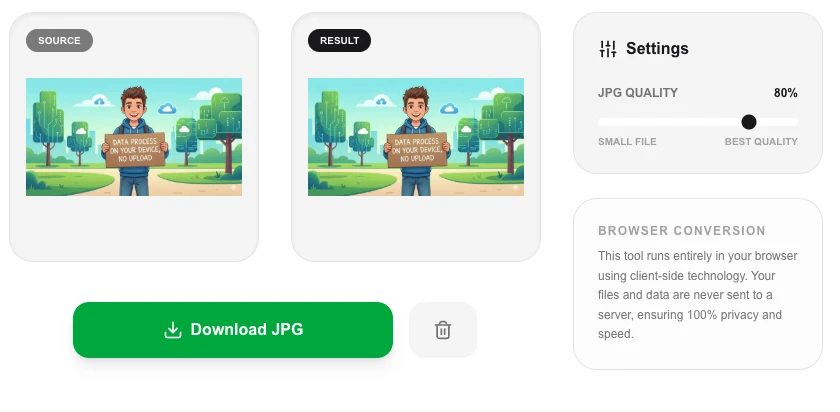
- Click 'Convert to JPG' to process the file in your browser.
- Download the converted JPG and use it anywhere.
Common Use Cases
- Converting images for use in old software versions or email clients that don't display WebP.
- Extracting still images from animated WebP files as high-quality JPGs.
- Standardizing image formats for print projects or local archival.
Technical Details
Uses the browser's native image decoding to translate WebP data and re-encode it using high-speed JPG compression.
Frequently Asked Questions
- Will the file size increase?
- Yes, WebP is generally more efficient than JPG, so the converted file might be slightly larger than the original WebP.
- Does it support animated WebP?
- The converter will capture a high-quality JPG from the first frame of an animated WebP file.
- Is my WebP image uploaded to a server to convert it?
- No. The conversion is done entirely in your browser using the Canvas API. Your image is decoded and re-encoded locally — no data is ever sent to any server.
- Why would I need to convert WebP to JPG?
- While modern browsers support WebP, some older software, email clients, document editors, and social platforms only accept JPG or PNG. Converting ensures maximum compatibility across all platforms.
- Will I lose quality converting from WebP to JPG?
- Some quality loss may occur since JPG uses lossy compression. Set the quality slider to 90–95% for near-lossless results. If the original WebP was already lossy, the quality difference is usually imperceptible at high settings.
- Can I convert multiple WebP images to JPG in one batch?
- Yes. The WebP to JPG converter supports batch conversion. Drop multiple WebP files at once or use the multi-file picker, and the tool converts them all in your browser using the Canvas API. The output files can be downloaded individually or as a ZIP archive. No images are uploaded to any server — all conversion happens client-side. Batch size is limited only by your device's available memory. For very large batches (hundreds of files), a command-line tool like ImageMagick's mogrify -format jpg *.webp is faster.
Local processing
Our local file, text and chart tools process content on your device using JavaScript, browser APIs and, where needed, WebAssembly. Our usage events do not include filenames, file contents, input text, chart values, raw errors, emails or license references. Network lookup tools (such as DNS, WHOIS, IP and speed tests) contact external services for their stated purpose. Loading the website, fonts, libraries and models also makes network requests. WebAssembly itself does not prevent network access.