
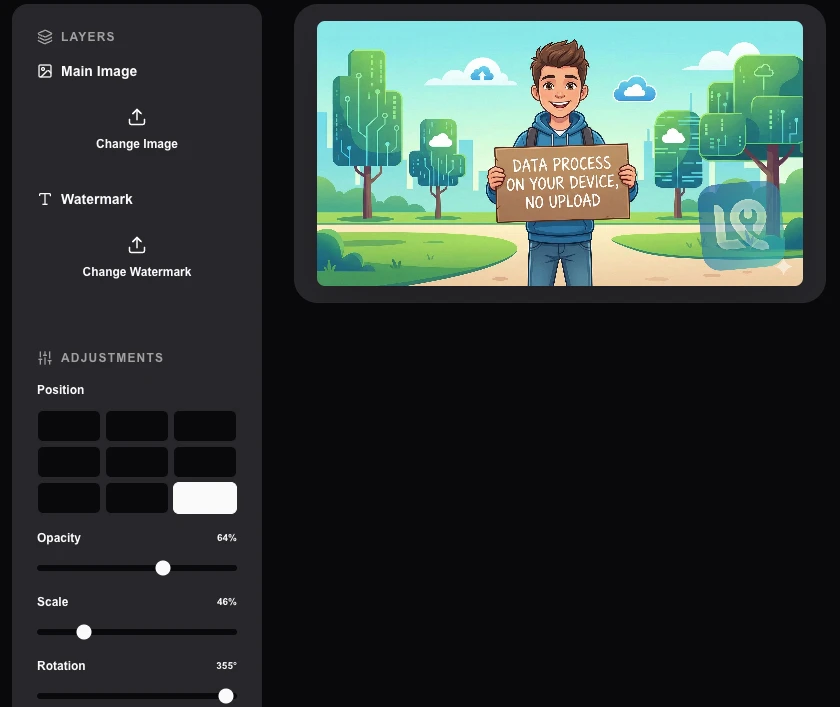
Overlay/Watermark Image
Add watermarks or overlay images onto your photos with custom positioning and transparency.
About Overlay/Watermark Image
Brand your content and protect your work with our versatile image overlay tool. Easily add logos, watermarks, or decorative overlays to your photos with full control over placement, scale, and transparency.
How to Use
- Upload your 'Main Image' (the background).
- Choose an 'Overlay Image' (your logo or watermark).
- Drag and resize the overlay directly on the canvas preview.
- Adjust opacity and once ready, download your watermarked masterpiece.
Common Use Cases
- Protecting digital photography portfolios from unauthorized redistribution.
- Adding brand logos to promotional banners and social media flyers.
- Creating meme templates by overlaying icons on top of standard background images.
Technical Details
Uses HTML5 Canvas composition to layer multiple image resources. The rendering happens entirely on your machine, ensuring no source files are ever transmitted.
Frequently Asked Questions
- Can I use transparent PNGs/SVGs?
- Absolutely! Using transparent PNG or SVG logos as your watermark provides the most professional and clean look.
- Is there a limit on file size?
- Our tool can handle high-resolution images, limited only by your browser's available memory.
- Is my image uploaded to a server to add the watermark?
- No. Watermarking is done entirely in your browser using the Canvas API. Your images are never sent anywhere — all compositing happens locally on your device.
- Can I use a transparent PNG logo as a watermark?
- Yes. If you upload a PNG watermark image with a transparent background, only the non-transparent parts will be overlaid on your photo, giving a professional watermark effect.
- Can I adjust the opacity of the watermark?
- Yes. The opacity slider lets you control how transparent the watermark appears — from a barely-visible subtle mark to a fully opaque overlay. A common setting for professional use is 30–50% opacity.
- Can I tile a watermark across the entire image for all-over coverage?
- Yes. In addition to placing a single watermark at a specific position, the tool offers a "tile" mode that repeats the watermark in a grid pattern across the entire image at a chosen spacing and rotation. This is commonly used for stock photo protection or draft document marking where a single corner watermark is easy to crop out. You can control the opacity, spacing, and rotation of the tiled pattern. All processing happens in your browser — your image is never uploaded to any server.
Local processing
Our local file, text and chart tools process content on your device using JavaScript, browser APIs and, where needed, WebAssembly. Our usage events do not include filenames, file contents, input text, chart values, raw errors, emails or license references. Network lookup tools (such as DNS, WHOIS, IP and speed tests) contact external services for their stated purpose. Loading the website, fonts, libraries and models also makes network requests. WebAssembly itself does not prevent network access.