
Barcode Generator
Generate various barcode formats for inventory and retail.
About Barcode Generator
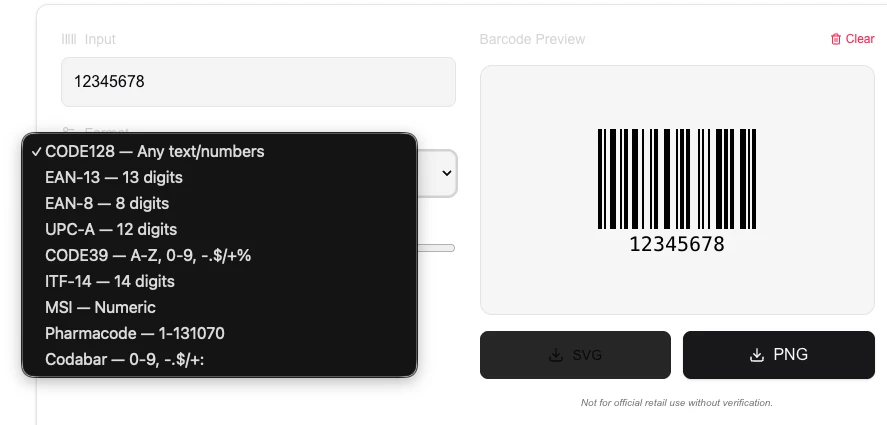
Generate professional barcodes for inventory management, retail, and logistics. Supporting major formats like EAN, UPC, and Code 128, this tool creates high-precision barcodes ready for scanning.
How to Use
- Enter the numeric or alphanumeric data for your barcode.
- Select the required barcode format (e.g., CODE128, EAN-13).
- Click 'Generate Barcode' to view the digital rendering.
- Download the result as a high-resolution PNG for printing.
Common Use Cases
- Creating product labels for small businesses and retail shops.
- Organizing internal inventory and assets with unique identifiers.
- Generating ticket codes or member IDs for events and clubs.
Technical Details
Uses JsBarcode logic to generate standard-compliant vector data which is rendered to an image canvas locally.
Frequently Asked Questions
- What is the most common barcode format?
- CODE128 is highly versatile for general use, while EAN/UPC are standardized for global retail products.
- Can I scan these with my phone?
- Yes, standard barcode scanners and mobile camera apps can read these high-quality generated images.
- What is the difference between a barcode and a QR code?
- Traditional barcodes (like Code 128 or EAN) are 1-dimensional — they encode data in a series of parallel lines of varying width. QR codes are 2-dimensional — they encode data in a square grid of dots and can hold significantly more information and be scanned from any angle.
- What barcode format should I use for retail products?
- Use EAN-13 for international retail products or UPC-A for North American retail. Both are supported by nearly all point-of-sale scanners. You will need to obtain an official GS1 barcode number for products sold commercially.
- Can I print barcodes generated here?
- Yes. Download the barcode as an SVG for perfect scaling at any print size, or as a PNG for general use. For retail or logistics labels, use at least 300 DPI and ensure the quiet zone (white space around the barcode) meets specification requirements.
- Can I download the generated barcode as a high-resolution PNG or SVG?
- Yes. After generating your barcode you can download it as a PNG at adjustable scale or as a scalable SVG vector graphic. SVG is ideal for print projects because it scales to any size without losing sharpness — perfect for product labels, packaging, or large-format banners. PNG is better for web use or digital mockups. Both formats are generated entirely in your browser; no data is sent to a server, so confidential product codes or internal barcodes remain private.
Local processing
Our local file, text and chart tools process content on your device using JavaScript, browser APIs and, where needed, WebAssembly. Our usage events do not include filenames, file contents, input text, chart values, raw errors, emails or license references. Network lookup tools (such as DNS, WHOIS, IP and speed tests) contact external services for their stated purpose. Loading the website, fonts, libraries and models also makes network requests. WebAssembly itself does not prevent network access.