
JSON Formatter & Validator
Validate, format, and minify JSON data.
About JSON Formatter & Validator
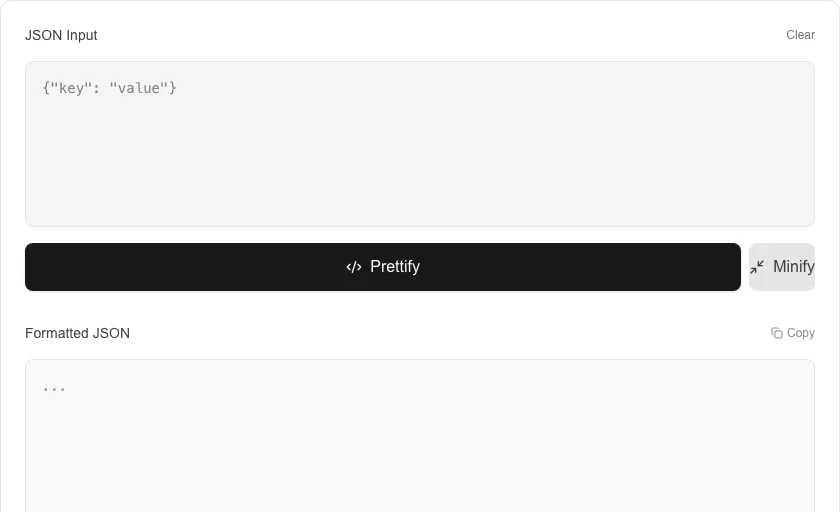
Validate, prettify, and minify your JSON data instantly. This essential developer tool helps you debug complex JSON structures, ensuring they are syntactically correct and easy to read, or condensed for production use.
How to Use
- Paste your raw JSON data into the input field.
- Use 'Prettify' to add indentation; the tool will automatically validate your JSON as you format.
- Review the validation status indicator at the bottom to check for syntax errors or trailing commas.
- Use 'Minify' to remove all whitespace for efficient data transmission.
Common Use Cases
- Debugging API responses with unformatted or nested JSON data.
- Cleaning up configuration files like package.json or settings.json.
- Verifying JSON structure before deploying web services or database updates.
Technical Details
Uses high-performance parsing logic to identify syntax errors and reconstruct the JSON tree with custom indentation settings. All processing is 100% local.
Frequently Asked Questions
- Is my data sent to a server?
- No. The validation and formatting happen entirely in your browser memory for maximum privacy.
- Can it handle huge files?
- Yes, our engine is optimized for speed, though very large files (several MBs) may cause brief UI lag depending on your device.
- How do I fix a JSON parse error?
- Common causes are trailing commas, unquoted keys, single quotes instead of double quotes, or missing closing brackets. Paste your JSON here and the validator will highlight the exact line causing the error.
- Can I minify JSON as well as format it?
- Yes. Use the minify option to strip all whitespace and produce the most compact JSON string possible — useful for reducing payload size in API responses or configuration files.
- What is the difference between JSON and JSONP?
- JSON is a pure data format. JSONP (JSON with Padding) is a legacy technique that wraps JSON in a JavaScript function call to bypass browser same-origin restrictions. Modern APIs use CORS instead, so JSONP is largely obsolete.
- Does the JSON Formatter support JSON5 or JSONC (JSON with comments)?
- The JSON Formatter strictly follows the JSON specification (RFC 8259), which does not allow comments, trailing commas, or single-quoted strings. JSON5 and JSONC are supersets that add these features, but they are not standard JSON. If you paste JSON5 or JSONC, the tool will report a parse error. To work around this, strip comments and trailing commas manually or use a search-and-replace tool first. If you work with JSONC regularly (common in VS Code config files), a dedicated JSONC stripper tool can clean the input first.
Local processing
Our local file, text and chart tools process content on your device using JavaScript, browser APIs and, where needed, WebAssembly. Our usage events do not include filenames, file contents, input text, chart values, raw errors, emails or license references. Network lookup tools (such as DNS, WHOIS, IP and speed tests) contact external services for their stated purpose. Loading the website, fonts, libraries and models also makes network requests. WebAssembly itself does not prevent network access.