
Diff Checker
Compare two blocks of text and highlight the differences.
About Diff Checker
Compare two blocks of text and instantly highlight additions, deletions, and modifications. This diff checker is perfect for developers comparing code versions or writers tracking content edits without needing complex version control systems.
How to Use
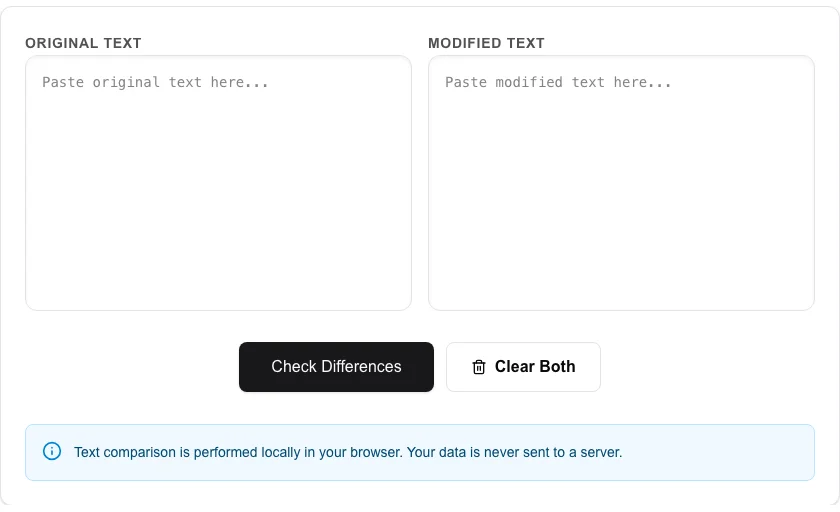
- Paste your 'Original Text' into the left-side input box.
- Paste your 'Modified Text' into the right-side input box.
- Click 'Check Differences' to start the comparison.
- View the highlighted changes (green for additions, red for deletions) and jump between differences.
Common Use Cases
- Comparing different versions of a code snippet or configuration file.
- Tracking edits made to an article, blog post, or legal document.
- Identifying subtle changes in datasets or log outputs.
Technical Details
Uses the Myers diff algorithm to calculate the shortest edit script between two sequences. All processing is performed entirely within your browser.
Frequently Asked Questions
- Can it compare by character or line?
- Our tool is optimized for line-by-line comparison, which is the most common way to track changes in text and code.
- Is there a line limit?
- The tool can efficiently compare thousands of lines. Very large documents might take a moment to process.
- How do I compare two versions of a text file online?
- Paste the original text in the left panel and the modified version in the right panel, then click Compare. The tool highlights added lines in green, removed lines in red, and unchanged lines in white — giving you a clear view of every difference.
- Can I use this to compare code, JSON, or config files?
- Yes. The diff checker works on any plain text — source code, JSON, YAML, environment files, SQL queries, or prose. It performs a line-by-line diff using the Myers diff algorithm, the same approach used by Git.
- Does the diff tool show which specific words changed within a line?
- Yes. In addition to line-level highlighting, the tool performs inline word-level diffing on modified lines, underlining the exact words or characters that changed. This is especially useful for spotting small typos or single-value changes in config files.
- Is there a file size limit for text I can compare?
- The Diff Checker runs entirely in your browser using a JavaScript diff algorithm, so performance depends on your device. Text up to several hundred kilobytes (roughly 5,000–10,000 lines) compares quickly on modern devices. Very large files — such as multi-megabyte log dumps — may cause the comparison to take several seconds or feel sluggish on older hardware. There is no hard size limit enforced by the tool. For very large file comparisons, a command-line diff tool like GNU diff or git diff will be faster and more efficient.
Local processing
Our local file, text and chart tools process content on your device using JavaScript, browser APIs and, where needed, WebAssembly. Our usage events do not include filenames, file contents, input text, chart values, raw errors, emails or license references. Network lookup tools (such as DNS, WHOIS, IP and speed tests) contact external services for their stated purpose. Loading the website, fonts, libraries and models also makes network requests. WebAssembly itself does not prevent network access.