
Markdown to HTML
Convert Markdown text to HTML.
About Markdown to HTML
A fast and reliable Markdown to HTML converter. Easily transform your README files, documentation, or blog posts from Markdown syntax into clean, web-ready HTML code with real-time previewing.
How to Use
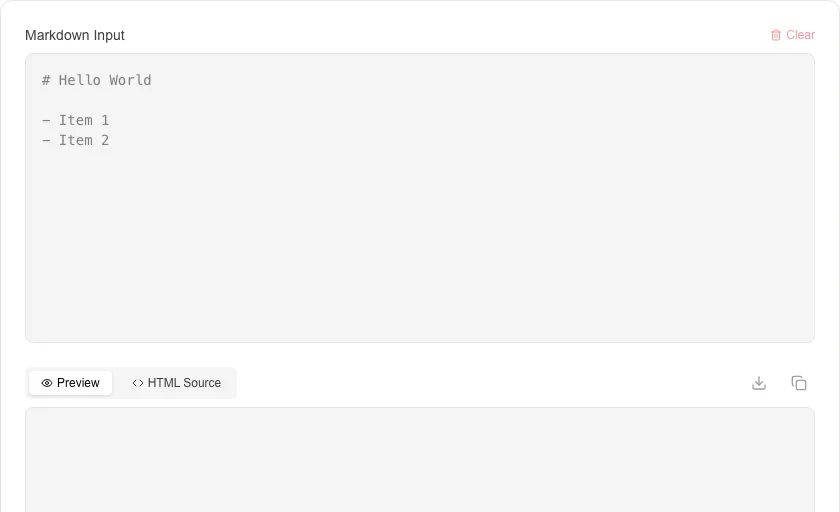
- Type or paste your Markdown text into the input panel.
- Switch to the 'Preview' tab to see the rendered output.
- Use the 'HTML Source' tab to view and copy the generated markup.
- Download the results as a .html file if needed.
Common Use Cases
- Converting README.md files for use in web pages.
- Generating HTML for static sites or email newsletters.
- Testing Markdown rendering before publishing to platforms like GitHub.
Technical Details
Powered by the 'marked' library, this tool supports GFM (GitHub Flavored Markdown) and provides secure rendering with local processing.
Frequently Asked Questions
- Does this support GitHub Flavored Markdown?
- Yes, standard GFM features like tables and task lists are supported.
- Can I use custom CSS?
- The preview uses our site's default typography, but the generated HTML source can be styled with any CSS in your own project.
- How do I convert a Markdown file to HTML without installing anything?
- Paste your Markdown into the editor on the left — the HTML output appears in real time on the right. You can then copy the HTML or download it. No installation, account, or file upload is required.
- Does this tool support tables and code blocks?
- Yes. The converter supports GitHub Flavored Markdown (GFM), which includes fenced code blocks with syntax highlighting, tables, strikethrough, task lists, and autolinked URLs.
- Will the converted HTML include my Markdown formatting like bold and headings?
- Yes. Markdown syntax is translated to equivalent HTML elements — ** becomes <strong>, # becomes <h1>, and so on. The output is clean, semantic HTML ready to paste into any webpage or CMS.
- Does the Markdown to HTML tool preserve syntax-highlighted code blocks?
- Yes. Fenced code blocks with a language identifier (e.g. ```python or ```javascript) are converted to <pre><code class="language-python"> HTML output. The tool does not apply a syntax highlighting color theme by default — the class names are compatible with Prism.js and Highlight.js, so you can add either library to your page to render colored code. If you just need the plain HTML structure without runtime syntax highlighting, the output is ready to use as-is in any web page or email template.
Local processing
Our local file, text and chart tools process content on your device using JavaScript, browser APIs and, where needed, WebAssembly. Our usage events do not include filenames, file contents, input text, chart values, raw errors, emails or license references. Network lookup tools (such as DNS, WHOIS, IP and speed tests) contact external services for their stated purpose. Loading the website, fonts, libraries and models also makes network requests. WebAssembly itself does not prevent network access.