
XML Formatter
Beautify and format messy XML data.
About XML Formatter
Reorganize and beautify your XML data for clear structure and easier debugging. Our XML Formatter cleans up single-line XML, fixes indentation, and highlights the parent-child relationships of your tags, essential for working with SOAP APIs, RSS feeds, and legacy data formats.
How to Use
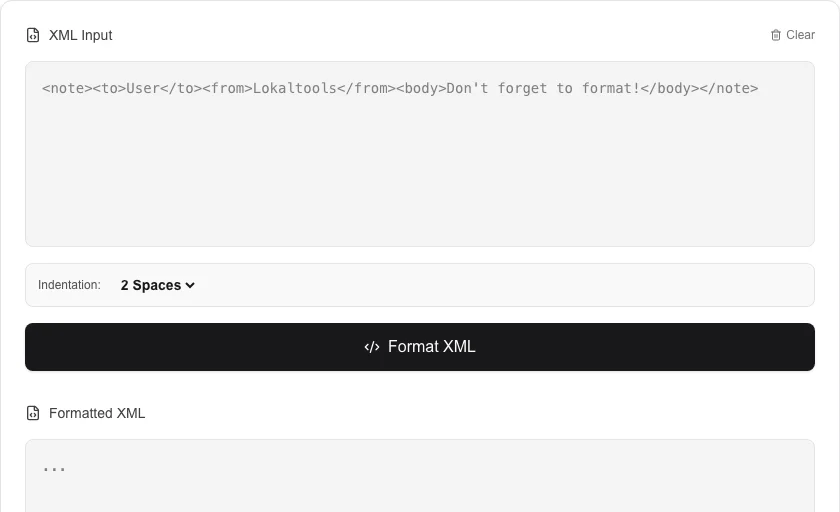
- Paste your raw or cluttered XML string into the input box.
- Click 'Format XML' to apply logical indentation and line breaks.
- Review the structured output to verify tag nesting and content values.
- Copy the prettified XML for use in your code or documentation.
Common Use Cases
- Visualizing response bodies from XML-based web services and APIs.
- Formatting sitemap.xml files or RSS feeds before publication.
- Organizing complex configuration files used in Android development or enterprise software.
Technical Details
Parses the XML string into a structured tree and then reconstructs it using standard indentation rules. Performed entirely in the browser for privacy.
Frequently Asked Questions
- Does it fix invalid XML?
- The tool requires well-formed XML to work correctly. It will highlight syntax errors if the XML structure is fundamentally broken.
- Does it support XML attributes?
- Yes, attributes are preserved and displayed clearly within their respective tags during the formatting process.
- How do I pretty print minified XML to make it readable?
- Paste your minified or unformatted XML into the input field and click Format. The tool re-indents the markup with consistent spacing, adds line breaks between elements, and displays the result in a readable tree structure.
- Can the XML formatter fix syntax errors in my XML?
- The formatter validates your XML and reports errors with the line and column number, but it does not auto-fix structural errors like unclosed tags or mismatched elements. It does normalize whitespace and indentation in otherwise valid XML.
- Does this tool support XML with namespaces and CDATA sections?
- Yes. The formatter handles all standard XML constructs including namespaces (xmlns), CDATA sections (<![CDATA[...]]>), XML declarations (<?xml version="1.0"?>), processing instructions, and attributes with special characters.
- Can the XML Formatter handle very large XML files like database exports?
- The XML Formatter processes files in your browser using a JavaScript XML parser, so performance depends on device memory and CPU. Files up to a few megabytes format quickly. Large XML exports (10 MB+) such as database dumps, sitemap files, or configuration exports may take several seconds. Files over 50 MB may cause the browser to run out of memory. For very large XML files, command-line tools like xmllint --format or Python's xml.dom.minidom are more suitable as they stream the file rather than loading it entirely into memory.
Local processing
Our local file, text and chart tools process content on your device using JavaScript, browser APIs and, where needed, WebAssembly. Our usage events do not include filenames, file contents, input text, chart values, raw errors, emails or license references. Network lookup tools (such as DNS, WHOIS, IP and speed tests) contact external services for their stated purpose. Loading the website, fonts, libraries and models also makes network requests. WebAssembly itself does not prevent network access.