
HTML Formatter
Beautify and structure your HTML code for better readability.
About HTML Formatter
Clean up cluttered HTML and fix indentation in seconds. Our formatter helps web developers organize their markup, making it easier to maintain, debug, and share with team members.
How to Use
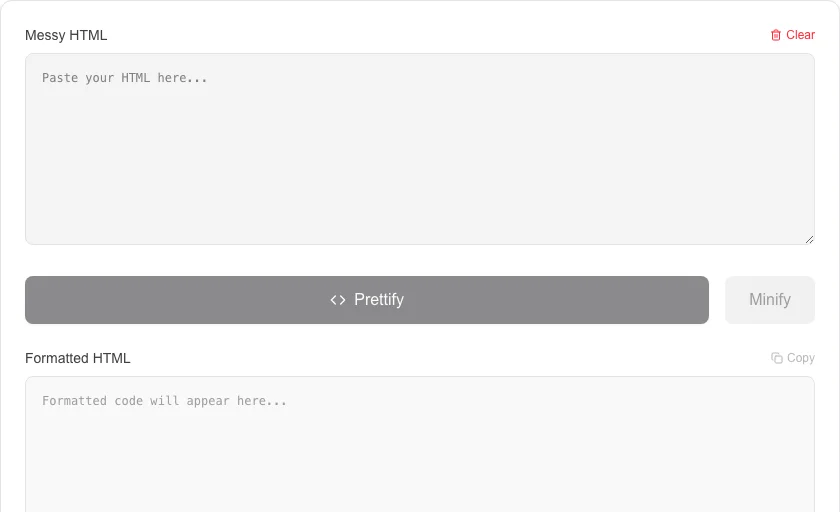
- Paste your minified or unorganized HTML code into the input area.
- Click 'Prettify' to apply consistent indentation and line breaks.
- Use 'Minify' to condense your code for production.
- Copy the prettified or minified code back into your project.
Common Use Cases
- Organizing raw HTML extracted from 'View Source' or browser inspectors.
- Formatting templates before committing code to version control systems.
- Learning proper HTML structure by observing how tags are consistently indented.
Technical Details
Uses high-performance regex and DOM-like parsing to identify tag boundaries and apply recursive indentation logic entirely in-browser.
Frequently Asked Questions
- Does it fix broken tags?
- Our tool focuses on formatting. While it helps spot missing tags, it is not a repair tool for invalid HTML syntax.
- Does it handle inline CSS?
- Yes, it preserves all inline styles and attributes while focusing on the overall structural indentation of the tags.
- What is the difference between an HTML formatter and a validator?
- A formatter (beautifier) indents and reformats HTML for readability without changing its meaning. A validator checks that HTML is structurally correct according to the W3C spec. You should format first, then validate.
- Why is my minified HTML hard to read?
- Build pipelines often strip whitespace from HTML to reduce file size — this makes the raw source nearly unreadable. Pasting it into a formatter restores indentation and line breaks so you can inspect or debug the structure.
- Does formatting HTML change how the page renders?
- No. HTML is whitespace-insensitive in most contexts, so adding or removing indentation and blank lines between tags does not change the rendered output in a browser.
- Can I use the HTML Formatter to clean up email template HTML?
- Yes. Email HTML is notoriously messy — inline styles, table-based layouts, and minified markup from ESP editors can make it hard to read and maintain. Pasting it into the HTML Formatter will re-indent nested tables, align attributes, and add consistent line breaks, making the structure much easier to debug or hand-edit. The formatter does not alter tag attributes, inline styles, or content — it only adjusts whitespace and indentation, so the rendered output of the email remains identical.
Local processing
Our local file, text and chart tools process content on your device using JavaScript, browser APIs and, where needed, WebAssembly. Our usage events do not include filenames, file contents, input text, chart values, raw errors, emails or license references. Network lookup tools (such as DNS, WHOIS, IP and speed tests) contact external services for their stated purpose. Loading the website, fonts, libraries and models also makes network requests. WebAssembly itself does not prevent network access.