
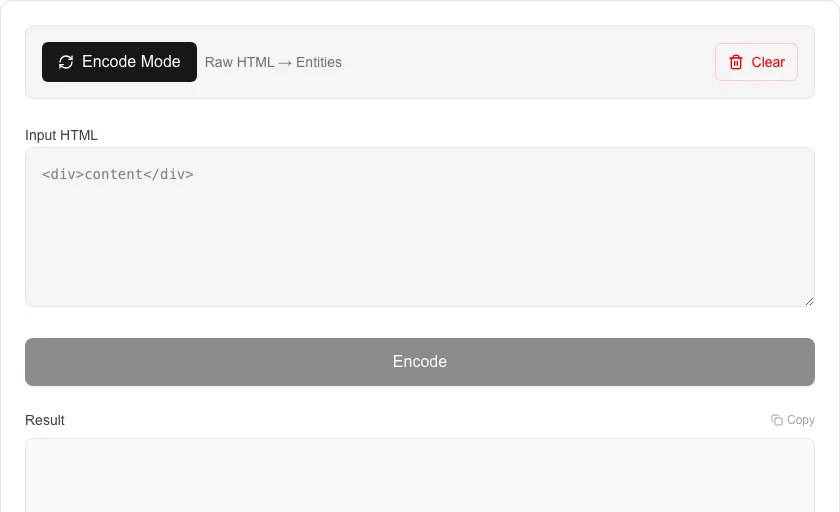
HTML Encode/Decode
Escape or unescape HTML entities safely.
About HTML Encode/Decode
Convert raw HTML code into escaped HTML entities or back into readable source code. This is a critical utility for developers to prevent XSS attacks or display code snippets securely on websites.
How to Use
- Choose between 'Encode' (Escape) and 'Decode' (Unescape) modes.
- Input your HTML string into the upper text field.
- Press the process button to apply the transformation.
- Copy the results to use in your project or documentation.
Common Use Cases
- Escaping user input to prevent script injection in web forms.
- Formatting code samples for display in technical blogs.
- Decoding entities in scraped web data.
Technical Details
Applies character mapping for all major HTML entities ( <, >, &, ", ') to ensure safe rendering in web environments.
Frequently Asked Questions
- What is HTML escaping?
- HTML escaping replaces characters like '<' and '>' with entities like '<' and '>' so the browser displays them as text rather than executing them as code.
- Is my code secure?
- Yes, all processing is done locally via JavaScript, so your source code is never exposed to external servers.
- What are HTML entities?
- HTML entities are special codes that represent characters which have meaning in HTML markup. For example, < must be written as < inside HTML to prevent the browser from treating it as a tag opening.
- When should I HTML-encode user input?
- Always encode user-supplied text before inserting it into HTML to prevent Cross-Site Scripting (XSS) attacks. Any character that could be interpreted as HTML — especially <, >, &, and " — must be escaped.
- What is the difference between HTML encoding and URL encoding?
- HTML encoding escapes characters that have special meaning inside HTML documents (e.g., & for &). URL encoding escapes characters that are invalid or ambiguous inside a URL (e.g., %26 for &). They are separate schemes used in different contexts.
- Does HTML encoding protect against XSS attacks?
- HTML encoding is one layer of XSS (Cross-Site Scripting) prevention, but it must be applied in the right context. Encoding user input as HTML entities (< > & ") prevents injected tags from being interpreted as markup when the output is placed inside HTML element content. However, it is not sufficient in all contexts — URL parameters, JavaScript strings, CSS values, and HTML attributes each require context-appropriate escaping. Always combine HTML encoding with a Content Security Policy and server-side input validation for robust XSS protection.
Local processing
Our local file, text and chart tools process content on your device using JavaScript, browser APIs and, where needed, WebAssembly. Our usage events do not include filenames, file contents, input text, chart values, raw errors, emails or license references. Network lookup tools (such as DNS, WHOIS, IP and speed tests) contact external services for their stated purpose. Loading the website, fonts, libraries and models also makes network requests. WebAssembly itself does not prevent network access.