
Regex Tester
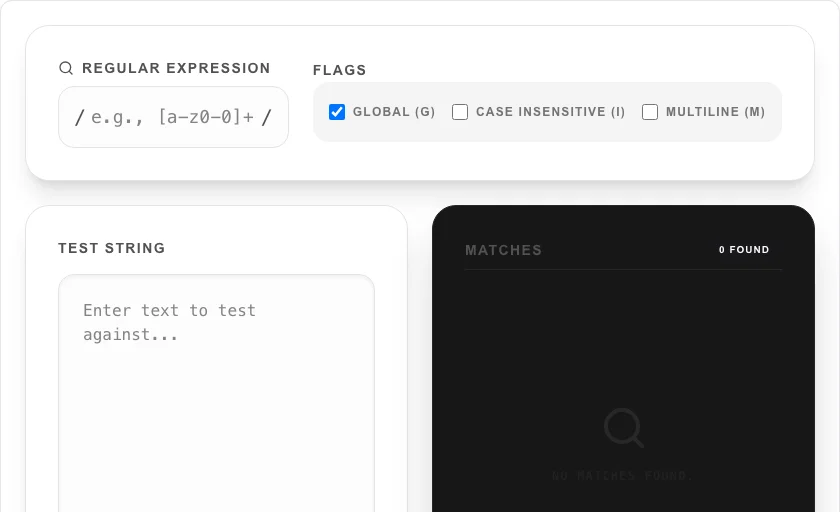
Test and debug your regular expressions with live highlighting.
About Regex Tester
Build, test, and debug Regular Expressions (Regex) in real-time. Our tester provides instant feedback with live highlighting of matches, group captures, and comprehensive flag support, making complex pattern matching easier for developers of all skill levels.
How to Use
- Enter your pattern in the 'Regular Expression' field.
- Adjust flags like 'Global' or 'Case Insensitive' to change the search behavior.
- Paste your sample text into the 'Test String' area.
- Instantly see highlighted matches and review the capture groups to verify your logic.
Common Use Cases
- Validating user input patterns (emails, phone numbers, passwords) during development.
- Parsing and extracting specific data from large logs or text files.
- Learning and experimenting with advanced Regex concepts like lookaheads and backreferences.
Technical Details
Uses high-performance Rust-based regex engines via WASM to provide safe, fast, and standard regex behavior directly in your browser.
Frequently Asked Questions
- Which regex flavor is supported?
- We use standard modern regex engines that follow common ECMAScript patterns used in most web and backend environments.
- Is it safe to test sensitive logs?
- Yes. This tool is client-side only. Your test data and expressions never leave your browser, ensuring complete privacy.
- How do I test a regular expression online without installing anything?
- Enter your regex pattern in the Pattern field and your test string in the Input field. Matches are highlighted in real time as you type. You can also set flags (g, i, m, s) using the checkboxes to control global matching, case sensitivity, and multiline mode.
- How do I extract capture groups from a regex match?
- Use parentheses in your pattern to define capture groups — for example, (\d{4})-(\d{2})-(\d{2}) captures year, month, and day separately. The tool displays each match alongside its named or numbered capture groups, so you can verify the extracted values.
- Why does my regex work in Python but not here?
- This tool uses Rust's regex engine (via WebAssembly), which follows RE2 syntax. RE2 does not support lookaheads, lookbehinds, or backreferences for performance and safety reasons. If your pattern uses those features, it will not match here. For JavaScript-compatible behavior, the tool also supports a JS regex mode.
- Can I test a regex against a multi-line string?
- Yes. The regex tester supports both single-line and multi-line input. Enable the multiline flag (m) to make ^ and $ match the start and end of each line rather than the whole string. Enable the dotall flag (s) to make . match newline characters. You can paste multi-paragraph text, log files, or JSON strings into the test input area. The tester highlights all matches in real time as you type and shows the matched groups, indices, and named capture groups in the results panel below.
Local processing
Our local file, text and chart tools process content on your device using JavaScript, browser APIs and, where needed, WebAssembly. Our usage events do not include filenames, file contents, input text, chart values, raw errors, emails or license references. Network lookup tools (such as DNS, WHOIS, IP and speed tests) contact external services for their stated purpose. Loading the website, fonts, libraries and models also makes network requests. WebAssembly itself does not prevent network access.