
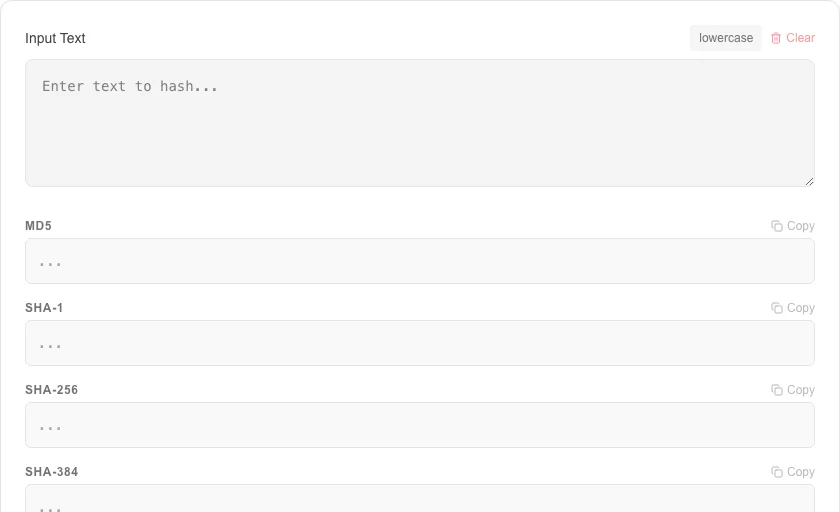
Hash Generator
Generate MD5, SHA-1, SHA-256, SHA-384, and SHA-512 hashes.
About Hash Generator
Generate multiple secure cryptographic hashes for any text input. This tool provides instant MD5, SHA-1, SHA-256, and SHA-512 outputs, essential for verifying data integrity and password security testing.
How to Use
- Enter or paste the text string you want to hash in the input field.
- Click 'Generate Hashes' to compute all cryptographic checksums simultaneously.
- Select the specific hash algorithm you need (MD5, SHA-256, etc.).
- Copy the resulting hexadecimal string for your verification or security needs.
Common Use Cases
- Verifying that a downloaded file matches its original hash (integrity check).
- Generating unique identifiers from text data without disclosing the original input.
- Testing and debugging secure authentication systems and API sign-off logic.
Technical Details
Uses high-performance JavaScript crypto libraries to execute mathematical hashing algorithms directly in your browser's memory. processed locally and offline.
Frequently Asked Questions
- Is MD5 secure?
- MD5 is now considered cryptographically broken and prone to collision attacks. It should be used for simple integrity checks, not for secure passwords.
- Which hash is the strongest?
- SHA-512 is the strongest in the SHA-2 family, providing 512 bits of output and high resistance to brute-force attacks.
- Can I hash a file without uploading it to a server?
- Yes. This tool reads your file locally using the browser's File API and computes the hash entirely on your device. No data is ever sent to any server, making it safe for hashing sensitive documents.
- What is the difference between MD5, SHA-1, and SHA-256?
- MD5 and SHA-1 are older algorithms that are fast but cryptographically broken — they should only be used for checksums, not security. SHA-256 and SHA-512 are part of the SHA-2 family and remain secure for integrity verification and digital signatures.
- Why do two identical files produce the same hash?
- Hash functions are deterministic — the same input always produces the same output. This property makes hashes useful for verifying file integrity: if even a single byte changes, the hash changes completely (the avalanche effect).
- Can I hash a file instead of text to verify its integrity?
- Yes. Switch to "File" mode and drop or select any file. The tool reads the file locally in your browser using the Web Crypto API and computes the hash without uploading anything. SHA-256 file hashes are widely used to verify download integrity — software vendors often publish the SHA-256 hash of their installer alongside the download link. Compute the hash of your downloaded file here and compare it to the published value. A match confirms the file has not been tampered with or corrupted.
Local processing
Our local file, text and chart tools process content on your device using JavaScript, browser APIs and, where needed, WebAssembly. Our usage events do not include filenames, file contents, input text, chart values, raw errors, emails or license references. Network lookup tools (such as DNS, WHOIS, IP and speed tests) contact external services for their stated purpose. Loading the website, fonts, libraries and models also makes network requests. WebAssembly itself does not prevent network access.
Learn more
Read the full guide →