
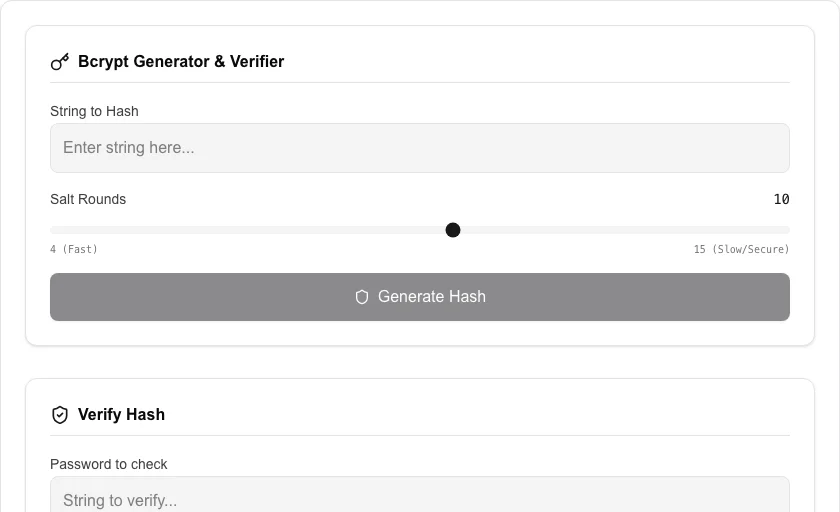
Bcrypt Generator & Verifier
Generate and verify Bcrypt hashes securely in your browser.
About Bcrypt Generator & Verifier
Generate and verify secure Bcrypt hashes for passwords and sensitive data. Bcrypt is a standard password-hashing function that includes a salt to protect against rainbow table attacks. Our tool allows you to tune the 'Salt Rounds' for increased security, all while keeping your data strictly on your local device.
How to Use
- Enter the text you wish to hash in the input field.
- Select the number of 'Salt Rounds' (10-12 is standard for most applications).
- Click 'Generate Hash' to create a secure Bcrypt string.
- To verify an existing hash, use the 'Verify Hash' section and enter the original password and the hash to check for a match.
Common Use Cases
- Testing and debugging secure authentication systems during development.
- Verifying that your application's Bcrypt implementation produces compatible hashes.
- Generating one-off secure hashes for manual database entries or configuration files.
Technical Details
Uses the bcrypt.js library to execute hashing and verification algorithms. The 'cost' factor (Salt Rounds) determines the computation time, providing resistance to brute-force attacks.
Frequently Asked Questions
- What are Salt Rounds?
- Salt Rounds determine how much work is required to compute a single hash. Higher rounds increase security but take longer to process.
- Is it safe to enter my password?
- Yes. This tool runs entirely in your browser using local scripts. Your password is never sent to our servers or processed in the cloud.
- How do I hash a password with bcrypt online?
- Enter your plaintext password, choose a cost factor (10 is a common default), and click Hash. The tool runs the bcrypt algorithm in your browser using WebAssembly and returns a 60-character hash string you can store in your database.
- How do I verify a bcrypt hash against a password?
- Switch to the Verify tab, paste the existing bcrypt hash, enter the plaintext password, and click Verify. The tool runs bcrypt.compare in your browser and tells you whether the password matches — useful for testing your auth logic.
- Why is a higher cost factor slower, and which should I use?
- The cost factor (also called work factor or rounds) controls how many iterations bcrypt runs — each increment doubles the computation time. Cost 10 takes ~100ms on modern hardware and is a safe default. Cost 12 (~400ms) gives stronger protection at the cost of slower logins. Never use below 10 in production.
- Can I use this bcrypt tool to hash passwords for a production web application?
- You can generate bcrypt hashes here for testing, learning, or one-off admin tasks, but for production applications you should hash passwords server-side using a trusted library such as bcrypt.js for Node, passlib for Python, or spring-security-crypto for Java. Never send plain-text passwords to a client-side tool in production. This tool is best used to understand how bcrypt works, verify that your server-side hashing is producing the correct output, or generate a single admin password hash manually.
Local processing
Our local file, text and chart tools process content on your device using JavaScript, browser APIs and, where needed, WebAssembly. Our usage events do not include filenames, file contents, input text, chart values, raw errors, emails or license references. Network lookup tools (such as DNS, WHOIS, IP and speed tests) contact external services for their stated purpose. Loading the website, fonts, libraries and models also makes network requests. WebAssembly itself does not prevent network access.