
URL Encoder/Decoder
Encode and decode URLs to handle special characters safely.
About URL Encoder/Decoder
Safely encode and decode URL parameters to ensure web compatibility. This tool handles special characters and symbols, making them safe for use in links, web forms, and API requests.
How to Use
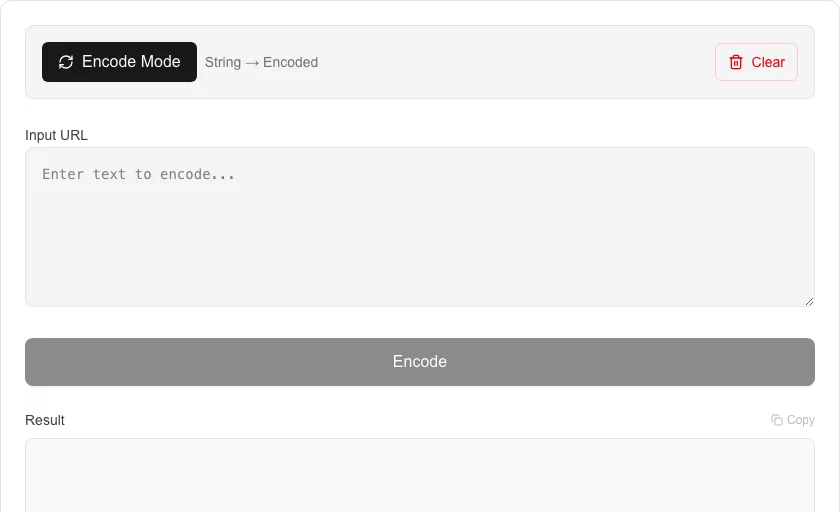
- Select 'Encode' or 'Decode' mode.
- Paste the URL or text string into the input area.
- Click the process button to transform the content.
- Copy the result for use in your browser or code.
Common Use Cases
- Preparing query parameters for API calls.
- Decoding complex URLs to read readable parameters.
- Escaping special characters in web addresses.
Technical Details
Uses standardized URI component encoding to ensure compatibility with modern web standards and browsers.
Frequently Asked Questions
- Why do I need to encode URLs?
- URLs can only contain certain characters. Encoding replaces unsafe characters with a '%' followed by their hex value to ensure they are interpreted correctly by browsers.
- Can I decode a URL with spaces?
- Yes, this tool will convert '+' or '%20' back into spaces correctly.
- What is URL encoding and why is it needed?
- URL encoding (percent-encoding) replaces unsafe characters like spaces, &, and = with a % followed by two hex digits. This ensures URLs remain valid across all browsers and servers.
- What is the difference between encodeURI and encodeURIComponent?
- encodeURI encodes a full URL and leaves characters like / and ? intact. encodeURIComponent encodes every special character including / and ? — use it for individual query parameter values.
- Why does a space become %20 in some URLs and + in others?
- Both are valid but used in different contexts. %20 is the standard percent-encoded form. The + sign represents a space specifically in HTML form data (application/x-www-form-urlencoded) — it is not interchangeable with %20 in path segments.
- Can I use this tool to decode a malformed or double-encoded URL?
- Yes. Paste a double-encoded URL (where % signs are themselves percent-encoded as %25) and use the Decode function twice in sequence to restore the original string. This is a common issue with URLs passed through redirect chains or encoded in JSON payloads. The tool also highlights which characters were decoded so you can quickly spot encoding issues. For automated double-decode workflows in code, use decodeURIComponent() twice in JavaScript or urllib.parse.unquote() twice in Python.
Local processing
Our local file, text and chart tools process content on your device using JavaScript, browser APIs and, where needed, WebAssembly. Our usage events do not include filenames, file contents, input text, chart values, raw errors, emails or license references. Network lookup tools (such as DNS, WHOIS, IP and speed tests) contact external services for their stated purpose. Loading the website, fonts, libraries and models also makes network requests. WebAssembly itself does not prevent network access.