
JSON to CSV Converter
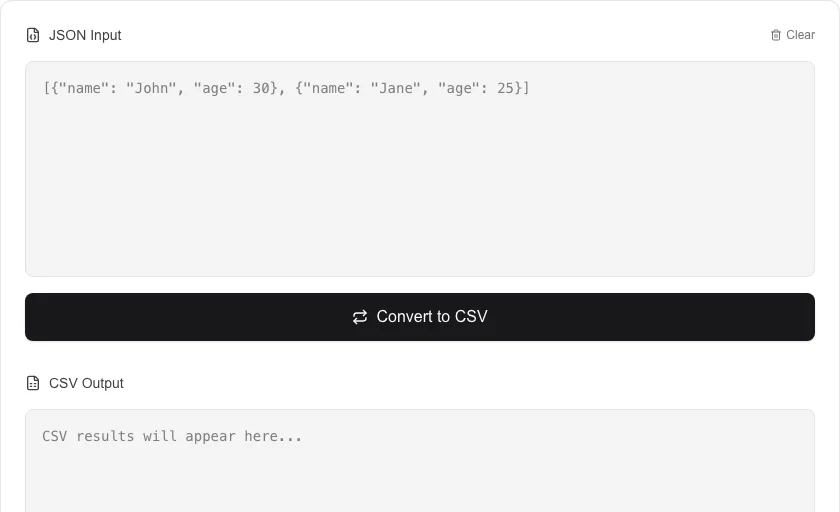
Convert JSON arrays to CSV format and download them.
About JSON to CSV Converter
Convert JSON arrays and objects into standardized CSV format. This utility is designed for exporting data from web applications or APIs for use in spreadsheet software like Microsoft Excel or Google Sheets.
How to Use
- Paste your JSON array or object into the input area.
- Click 'Convert to CSV' to transform the data structure.
- Review the generated CSV content in the output panel.
- Download the .csv file for external use.
Common Use Cases
- Exporting user lists or transaction logs for business reporting.
- Converting nested API responses into flat files for data analysis.
- Preparing data for import into bulk marketing or CRM tools.
Technical Details
Utilizes browser-based unparsing logic to ensure data is correctly escaped and formatted according to RFC 4180 standards.
Frequently Asked Questions
- What happens to nested JSON objects?
- Nested objects are flattened or stringified to ensure the resulting CSV maintains a consistent column structure.
- Is there a limit on JSON size?
- The tool works locally on your machine, so it can handle as much data as your browser's memory allows without server timeouts.
- How do I convert a JSON array to a CSV spreadsheet?
- Paste your JSON array into the input field. The tool reads the keys from the first object to create the CSV header row, then writes one row per object. Click Download to save the file as .csv, ready to open in Excel or Google Sheets.
- What happens to JSON fields with null or missing values?
- Missing keys for a given row are output as empty cells. Null values are written as empty strings. This ensures every row has the same number of columns, which is required for valid CSV format.
- Can I convert a JSON file exported from MongoDB or Firebase to CSV?
- Yes for flat or lightly nested documents. Top-level keys become columns. Deeply nested objects or arrays are serialized as a JSON string in that cell — you may want to flatten your data first for the cleanest spreadsheet output.
- Can I convert deeply nested JSON objects to a flat CSV file?
- The JSON to CSV converter flattens one level of nesting using dot-notation column names by default — for example, a field {address: {city: "London"}} becomes an address.city column. Deeply nested or complex structures such as arrays of arrays may not flatten cleanly into a tabular format. For highly nested JSON (like API responses with multiple levels of child objects), you may need to pre-process the JSON in a script to extract the relevant fields before converting to CSV.
Local processing
Our local file, text and chart tools process content on your device using JavaScript, browser APIs and, where needed, WebAssembly. Our usage events do not include filenames, file contents, input text, chart values, raw errors, emails or license references. Network lookup tools (such as DNS, WHOIS, IP and speed tests) contact external services for their stated purpose. Loading the website, fonts, libraries and models also makes network requests. WebAssembly itself does not prevent network access.