
Base64 Encoder/Decoder
Encode and decode text or files to Base64 securely in your browser.
About Base64 Encoder/Decoder
Convert text and binary data to Base64 format or back to readable text. This tool is essential for developers needing to transmit binary data over text-based protocols or safely embed small assets.
How to Use
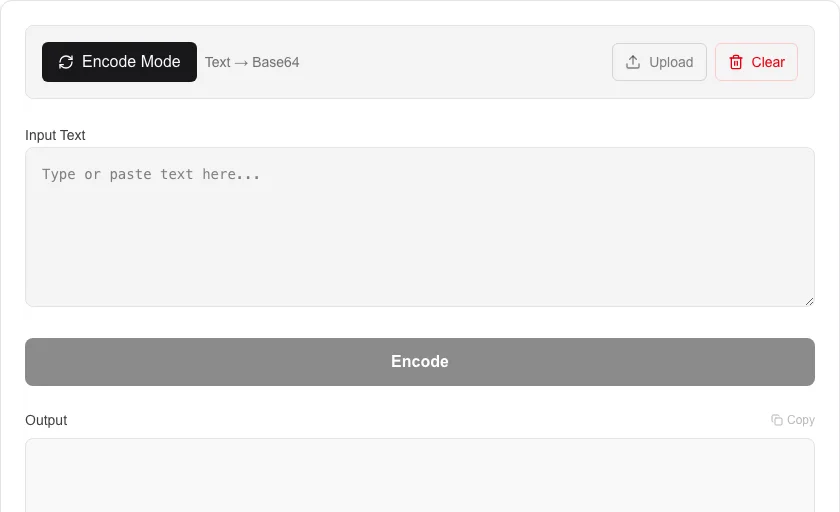
- Select either 'Encode' or 'Decode' mode.
- Enter or paste your text into the input box, or upload a file for encoding.
- Click the action button to process your data.
- View and copy the result from the output section.
Common Use Cases
- Encoding binary files for email attachments.
- Embedding small images or icons as Data URIs in CSS/HTML.
- Decoding API responses that return Base64-encoded strings.
Technical Details
Utilizes native browser Base64 APIs with Unicode-safe encoding to prevent data corruption during transformation.
Frequently Asked Questions
- What is Base64 encoding?
- Base64 is a binary-to-text encoding scheme that represents binary data in an ASCII string format. It is commonly used to ensure data remains intact during transit across text-oriented systems.
- Is it safe to encode passwords?
- While Base64 is not encryption and can be easily reversed, our tool processes all data locally on your device, ensuring your inputs are never sent to a server.
- Can I encode files to Base64?
- Yes. Upload any file and the tool converts it to a Base64 string entirely in your browser. No file is sent to a server. This is useful for embedding images as Data URIs in CSS or HTML, or attaching binary data to JSON payloads.
- What is the maximum file size I can encode?
- There is no hard limit — it depends on your browser's available memory. Files under 10 MB encode instantly. Very large files will still process locally but may take a few seconds depending on your device.
- Is Base64 the same as encryption?
- No. Base64 is encoding, not encryption. Anyone who has the Base64 string can decode it back to the original data. It is used to safely transport binary data as text, not to hide or protect data. For real encryption, use AES or another cipher.
- Can I use Base64 encoding to embed images directly into HTML or CSS?
- Yes. Base64-encoded images can be embedded as Data URIs in HTML img tags (<img src="data:image/png;base64,..."/>) or as CSS background-image values. This eliminates an HTTP request for small icons and inline images, which can speed up page loads. The trade-off is that Base64 adds roughly 33% overhead to the file size and the encoded string can make your HTML or CSS harder to read. It is best suited for small icons, logos, or images that are critical to the initial render.
Local processing
Our local file, text and chart tools process content on your device using JavaScript, browser APIs and, where needed, WebAssembly. Our usage events do not include filenames, file contents, input text, chart values, raw errors, emails or license references. Network lookup tools (such as DNS, WHOIS, IP and speed tests) contact external services for their stated purpose. Loading the website, fonts, libraries and models also makes network requests. WebAssembly itself does not prevent network access.