
SQL Formatter
Beautify and format your SQL queries for better readability.
About SQL Formatter
Turn messy, unreadable SQL queries into structured, professional code. Our formatter handles complex joins, nested selects, and various SQL dialects to ensure your database queries are perfectly indented.
How to Use
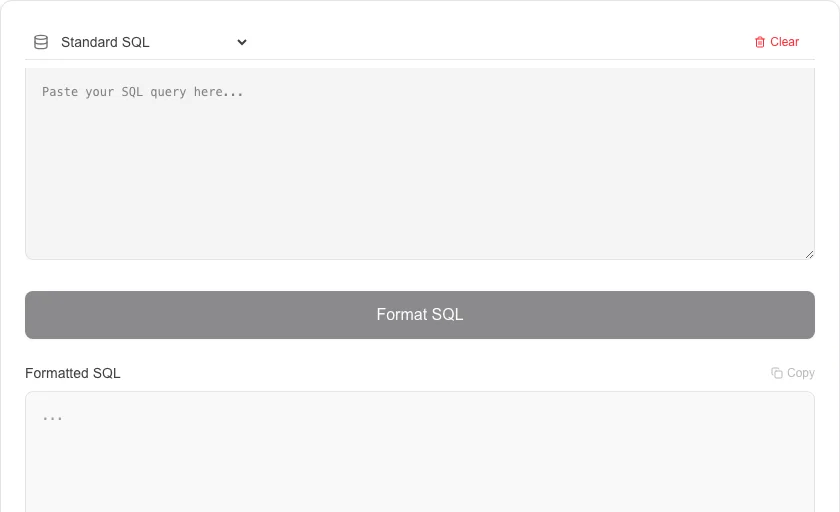
- Paste your single-line or unformatted SQL query into the text area.
- Click 'Format SQL' to apply standard database coding conventions.
- Copy the formatted query for use in your database client or application code.
- Easily spot missing commas or incorrect join logic in the prettified output.
Common Use Cases
- Beautifying long, generated SQL queries from ORMs or logging systems.
- Making complex analytical queries readable for documentation and peer review.
- Standardizing the SQL style across a team of developers or data scientists.
Technical Details
Leverages the sql-formatter library to apply keyword capitalization and indentation rules specific to various SQL dialects (MySQL, PostgreSQL, etc.).
Frequently Asked Questions
- Is my query data safe?
- Yes, all SQL formatting is performed locally on your device. Your table names and sensitive query logic are never uploaded to our servers.
- Which SQL dialects are supported?
- We support standard SQL, as well as dialects like MySQL, PostgreSQL, and SQL Server.
- Why should I format my SQL queries?
- Formatted SQL is dramatically easier to read, review, and debug. Consistent indentation makes JOIN conditions, subqueries, and WHERE clauses immediately visible — especially important for complex queries shared across a team.
- Does SQL formatting change query behaviour?
- No. SQL is whitespace-insensitive, so reformatting a query — adding line breaks, indentation, or changing keyword case — has zero effect on how the database executes it.
- What SQL dialects are supported?
- The formatter supports standard SQL as well as MySQL, PostgreSQL, SQLite, T-SQL (SQL Server), and PL/SQL syntax. Select the appropriate dialect to ensure keywords and functions are handled correctly for your database.
- Does the SQL Formatter support formatting stored procedures and triggers?
- Yes. The SQL Formatter handles multi-statement SQL including stored procedures (CREATE PROCEDURE ... BEGIN ... END), triggers, functions, and transaction blocks. It correctly indents BEGIN...END blocks, CASE...WHEN...END expressions, and nested subqueries. The formatter uses the sql-formatter library which supports MySQL, PostgreSQL, SQL Server (T-SQL), Oracle (PL/SQL), SQLite, and several other dialects. Select your dialect from the dropdown to get dialect-specific keyword capitalization and syntax handling.
Local processing
Our local file, text and chart tools process content on your device using JavaScript, browser APIs and, where needed, WebAssembly. Our usage events do not include filenames, file contents, input text, chart values, raw errors, emails or license references. Network lookup tools (such as DNS, WHOIS, IP and speed tests) contact external services for their stated purpose. Loading the website, fonts, libraries and models also makes network requests. WebAssembly itself does not prevent network access.