
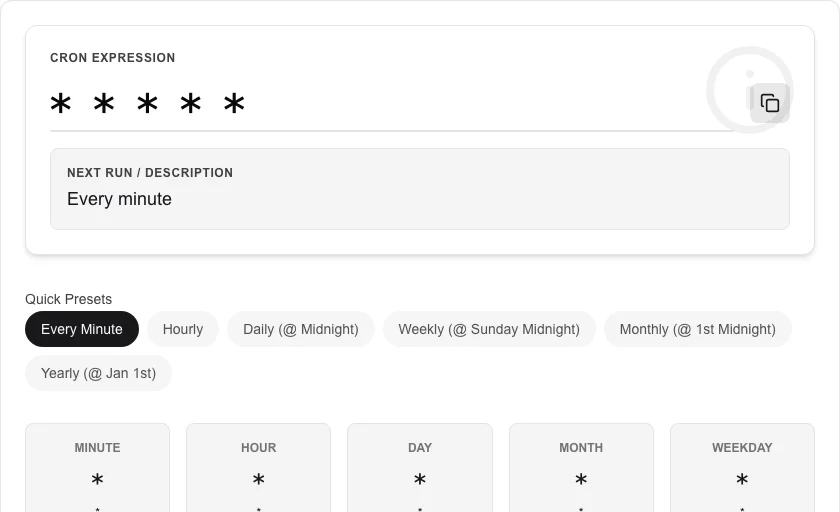
Cron Job Generator
Create and explain cron schedules easily.
About Cron Job Generator
Create precise cron expressions without memorizing complex syntax. Our intuitive generator lets you schedule tasks by day, hour, or minute and translates them into standard cron format instantly.
How to Use
- Select the frequency of your task (daily, weekly, monthly, etc.).
- Choose the specific times and intervals using the dropdown menus.
- Review the generated 'Cron Expression' and its human-readable description.
- Copy the expression directly into your server configuration or script.
Common Use Cases
- Scheduling automatic database backups or system maintenance tasks.
- Setting up periodic web scrapers or data synchronization scripts.
- Configuring 'crontab' entries for Linux servers or cloud-based task schedulers.
Technical Details
Converts visual selections into standard 5 or 6-field cron patterns. Powered by client-side logic that ensures your scheduling requirements are translated accurately.
Frequently Asked Questions
- What is a cron expression?
- A cron expression is a string representing a schedule in time, widely used in Unix-like operating systems to run jobs periodically.
- Does it support seconds?
- By default, we generate standard 5-part cron expressions. For systems requiring 6 parts, you can easily append a leading zero.
- What does a cron expression mean?
- A cron expression is a string of 5 (or 6) space-separated fields representing minute, hour, day-of-month, month, and day-of-week. For example, '0 9 * * 1' runs a job at 9:00 AM every Monday.
- What is the difference between cron and crontab?
- Cron is the Unix daemon that runs scheduled tasks. Crontab is the configuration file (or the command to edit it) where you define cron expressions. Each line in a crontab is one scheduled job.
- How do I run a cron job every 15 minutes?
- Use */15 in the minute field: '*/15 * * * *'. The */ syntax means 'every N units'. So */15 means at minute 0, 15, 30, and 45 of every hour.
- Can I validate that my cron expression will run at the right times?
- Yes. As you build your cron expression the tool shows a plain-English description of the schedule (e.g. "Every Monday at 09:00 AM") and displays the next 10 upcoming execution times based on the current date and time. This lets you verify the schedule before deploying it to your server or cloud function. The preview uses standard 5-field POSIX cron syntax by default; you can toggle 6-field mode for systems that support a seconds field, such as Spring Scheduler or AWS EventBridge.
Local processing
Our local file, text and chart tools process content on your device using JavaScript, browser APIs and, where needed, WebAssembly. Our usage events do not include filenames, file contents, input text, chart values, raw errors, emails or license references. Network lookup tools (such as DNS, WHOIS, IP and speed tests) contact external services for their stated purpose. Loading the website, fonts, libraries and models also makes network requests. WebAssembly itself does not prevent network access.