
Slug Generator
Generate SEO-friendly URL slugs from text strings.
About Slug Generator
Optimize your website URLs for search engines and users. Our slug generator handles character escaping, special symbol removal, and lowercase conversion to create clean, readable permalinks.
How to Use
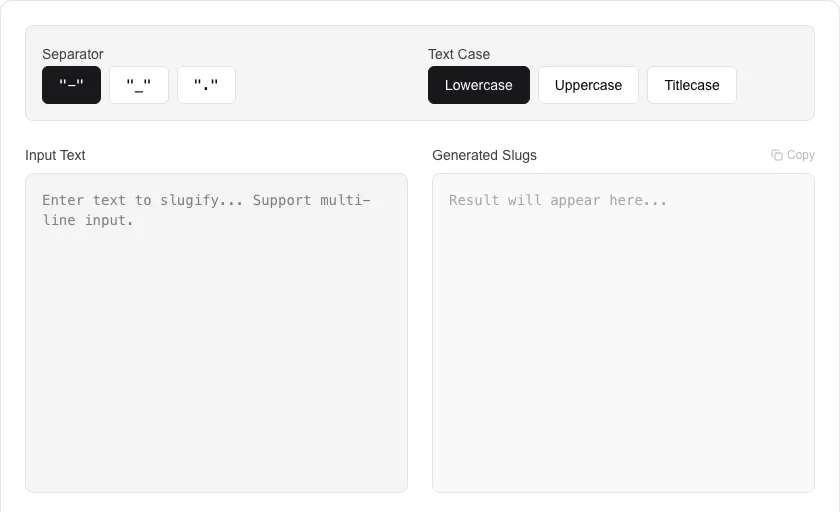
- Paste your article title or page name into the input field.
- The tool automatically transforms the text into a hyphenated string.
- Click 'Generate Slug' to finalize and clean the output.
- Copy the slug for use in your CMS, blog, or website URL structure.
Common Use Cases
- Creating SEO-friendly URLs for blog posts and news articles.
- Standardizing file names for web assets to avoid character encoding issues.
- Generating clean identifiers for database records and API endpoints.
Technical Details
Implements URL-safe character mapping and whitespace-to-hyphen conversion using native string manipulation.
Frequently Asked Questions
- Why use slugs for SEO?
- Search engines use the words in your URL to understand the page content; clean slugs improve both ranking and click-through rates.
- Does it remove stop words?
- This basic version converts the full string; you can manually remove common words like 'the' or 'and' for even cleaner URLs.
- What is a URL slug?
- A slug is the human-readable, URL-safe part of a web address — typically derived from a page title. For example, the title 'Top 10 SEO Tips' becomes the slug 'top-10-seo-tips'. Slugs should be lowercase, use hyphens as separators, and contain no special characters.
- Should I use hyphens or underscores in URL slugs?
- Google recommends hyphens. Hyphens are treated as word separators by search engines, while underscores join words together. 'my-page' is read as two words; 'my_page' is treated as one. Use hyphens for maximum SEO compatibility.
- How do I handle non-English characters in slugs?
- Accented and non-ASCII characters should be transliterated or removed. For example, 'Ångström' becomes 'angstrom'. This tool automatically converts common accented characters to their ASCII equivalents before generating the slug.
- Does the Slug Generator handle non-ASCII characters and diacritics?
- Yes. The Slug Generator uses transliteration to convert non-ASCII characters to their closest ASCII equivalents before slugifying. For example, "Ångström" becomes "angstrom", "über" becomes "uber", and "café" becomes "cafe". Chinese, Japanese, and Arabic characters are transliterated to romanized equivalents using standard transliteration tables. This produces clean, universally readable URL slugs that avoid percent-encoding of non-ASCII characters. The transliteration results can be further customized with manual editing.
Local processing
Our local file, text and chart tools process content on your device using JavaScript, browser APIs and, where needed, WebAssembly. Our usage events do not include filenames, file contents, input text, chart values, raw errors, emails or license references. Network lookup tools (such as DNS, WHOIS, IP and speed tests) contact external services for their stated purpose. Loading the website, fonts, libraries and models also makes network requests. WebAssembly itself does not prevent network access.